A HELOC that works like a credit card. As founding designer I designed the brand, the gold card, the marketing site, the application and the account dashboard.
Mobile Landing - Equity in Your WalletMobile hero: "Your home's equity, in your wallet," a 2-minute soft-pull rate check, and Trustpilot proof.
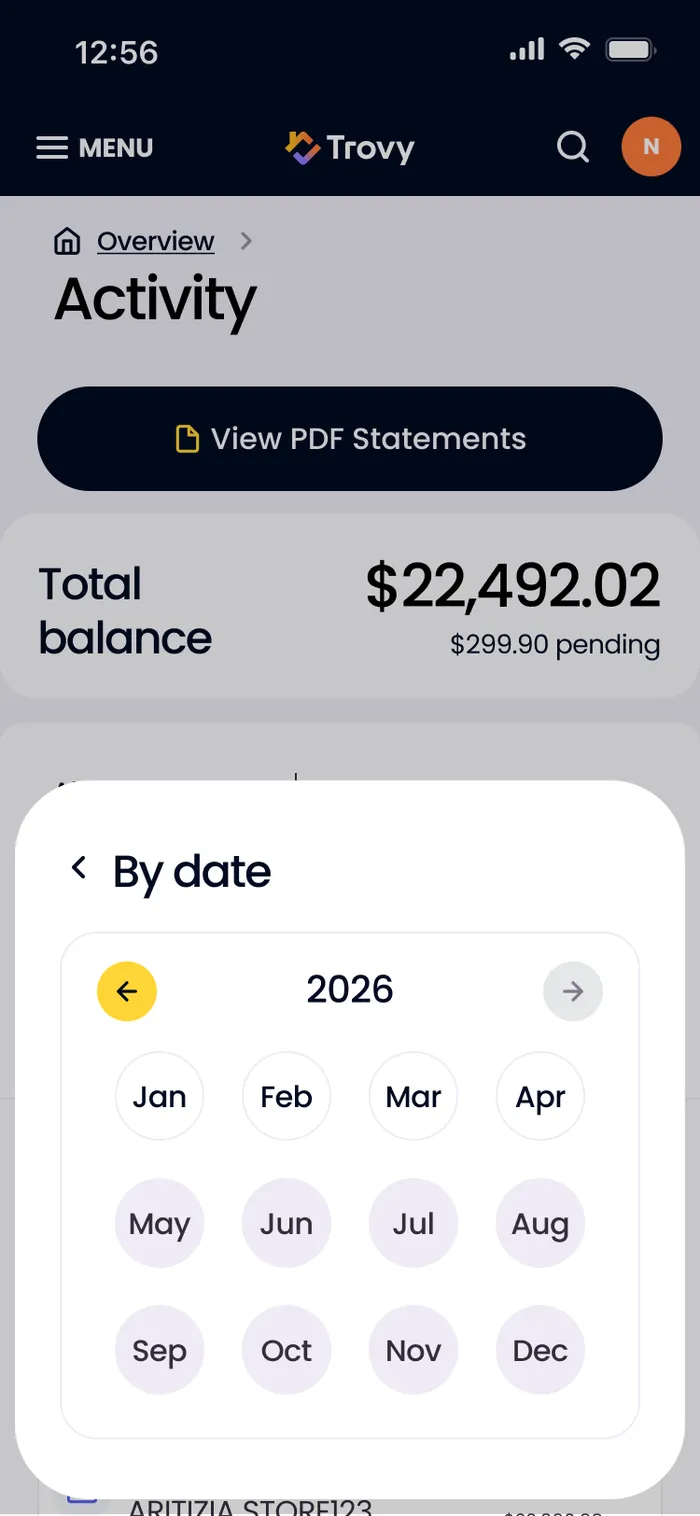
Mobile Activity - Filter by DateMobile version of activity with a month-picker sheet.
Renovate with Trovy
11 screens
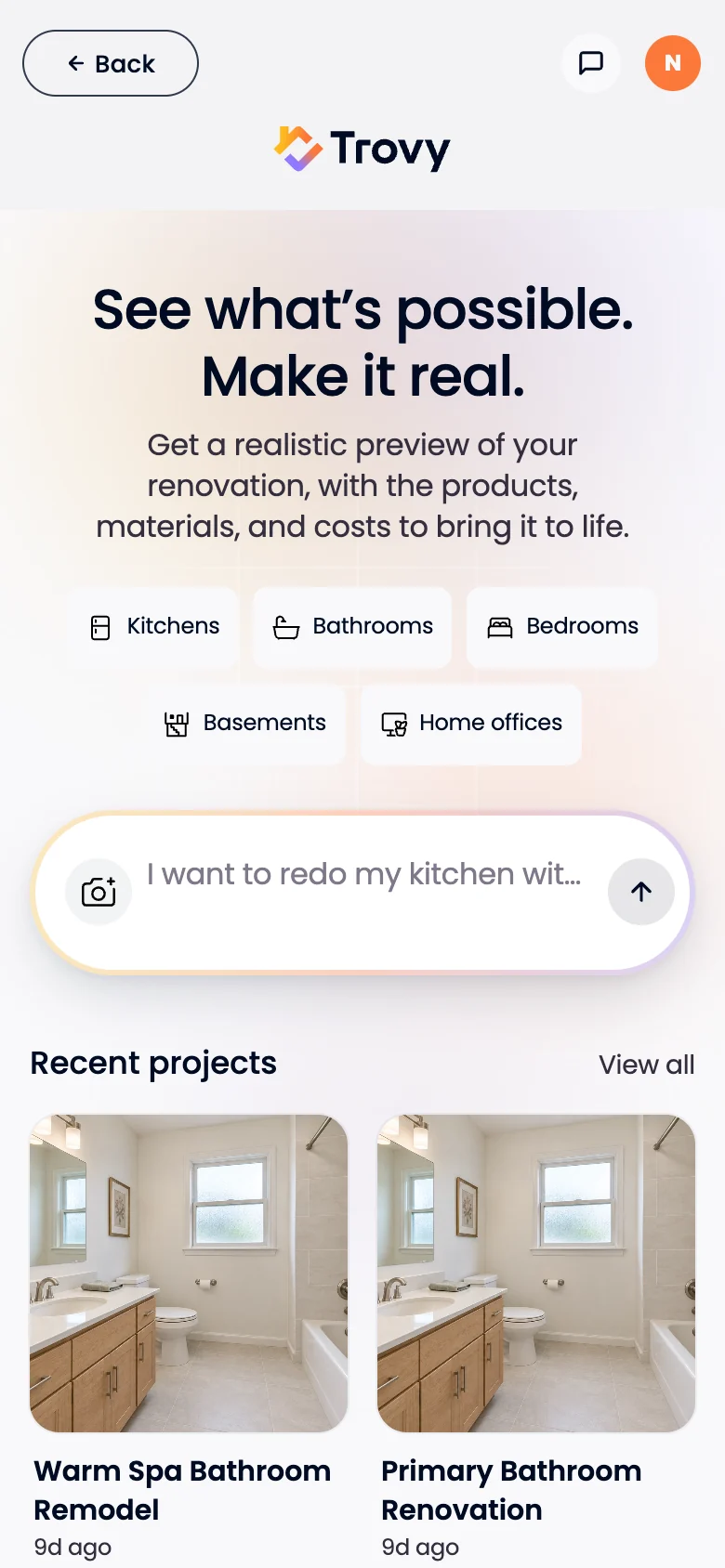
Renovate - Start a ProjectRenovate’s front door: describe the room or add a photo, with recent projects below.
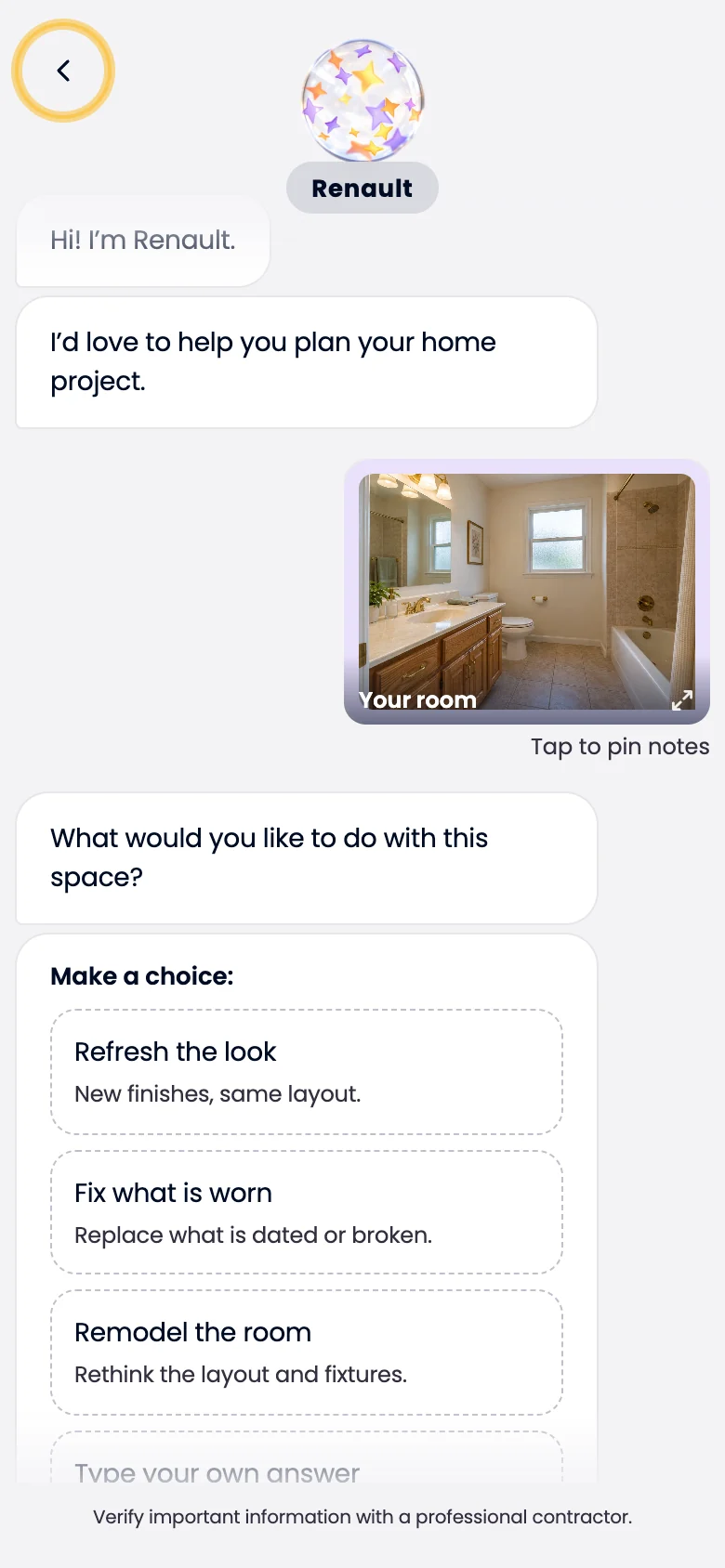
Chat - What Do You Want to Do?Renault, the Renovate assistant, asks what the homeowner wants: refresh the look, fix what’s worn or remodel the room.
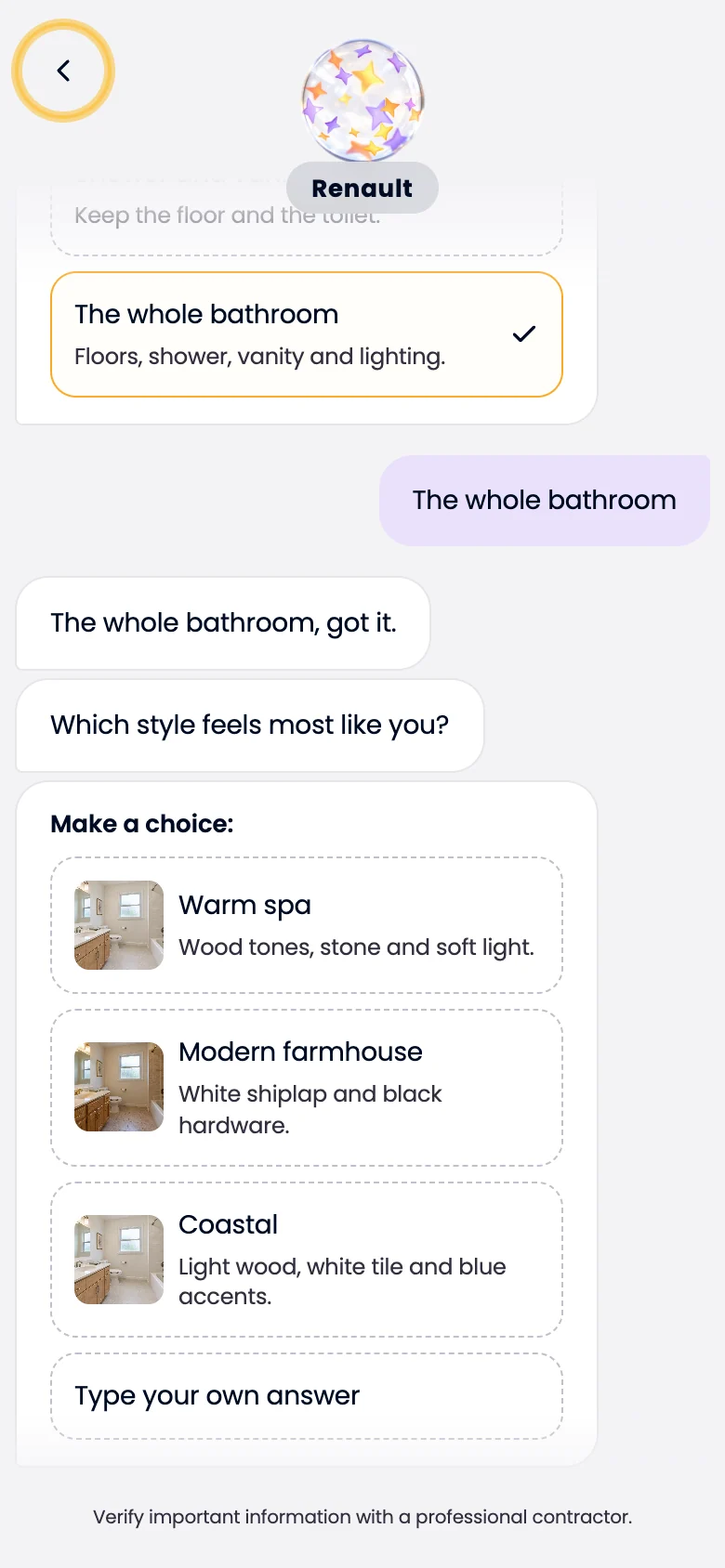
Chat - Pick a StyleStyle options as small mood photos, with a free-text answer always available.
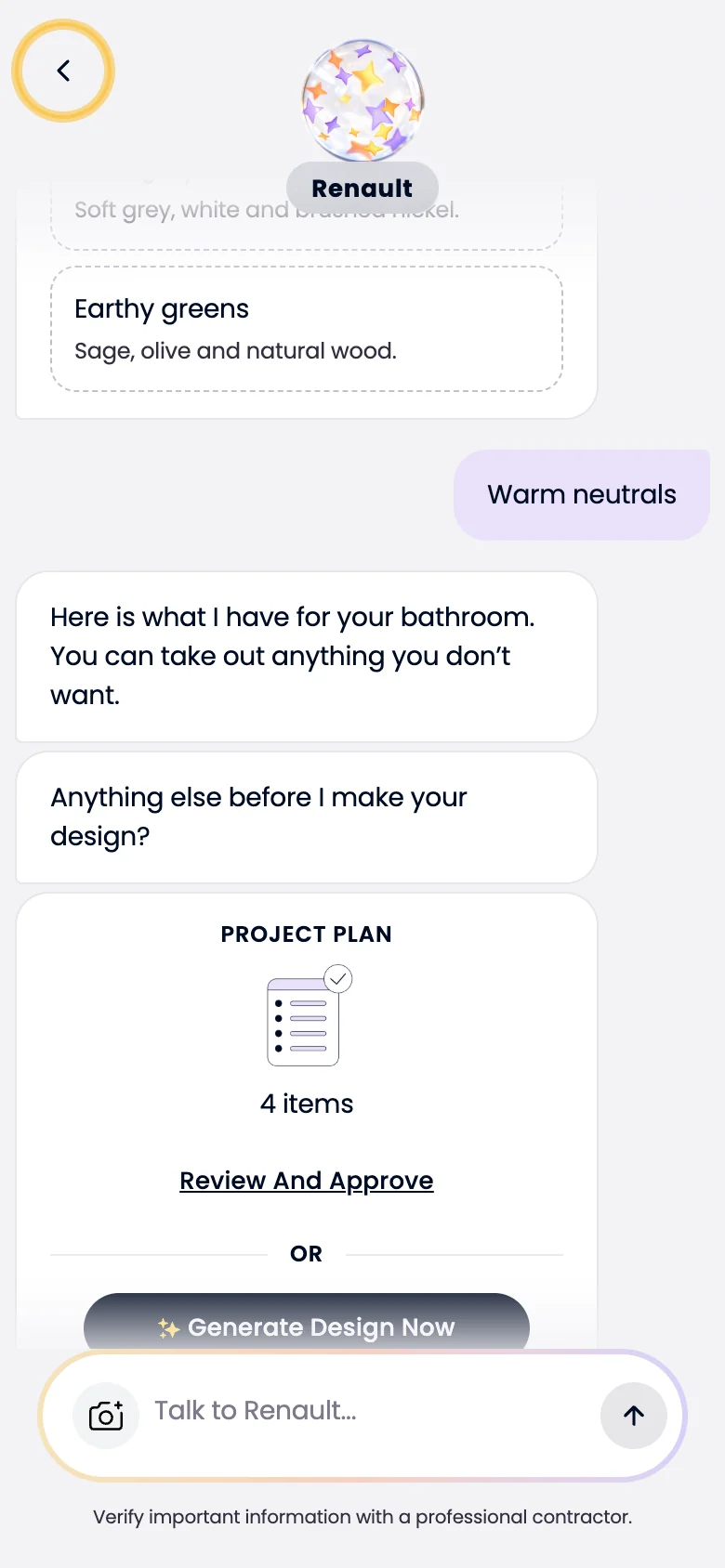
Chat - Project PlanRenault sums the project up as a plan. Review and approve it, or generate the design right away.
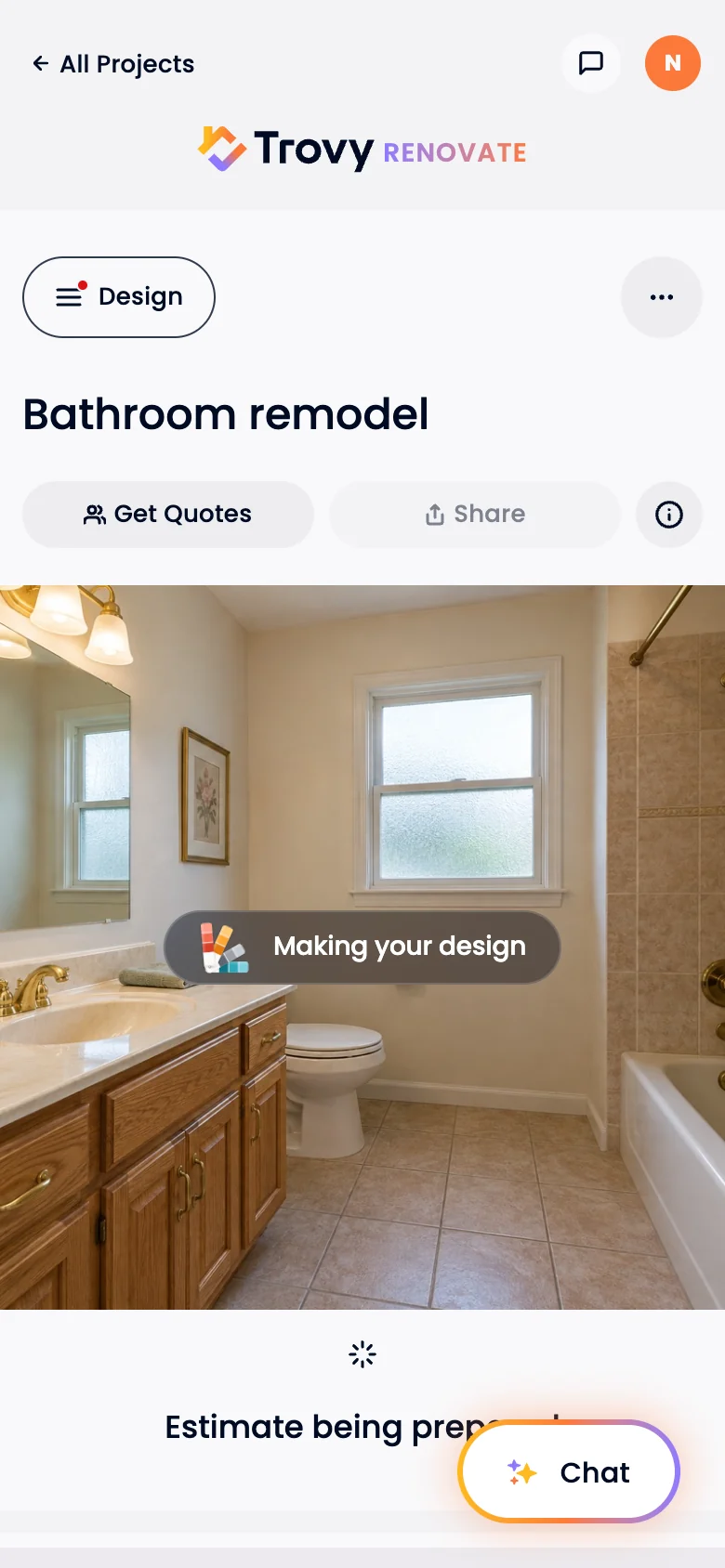
Making Your DesignThe homeowner’s own photo stays on screen while the design renders and the estimate loads.
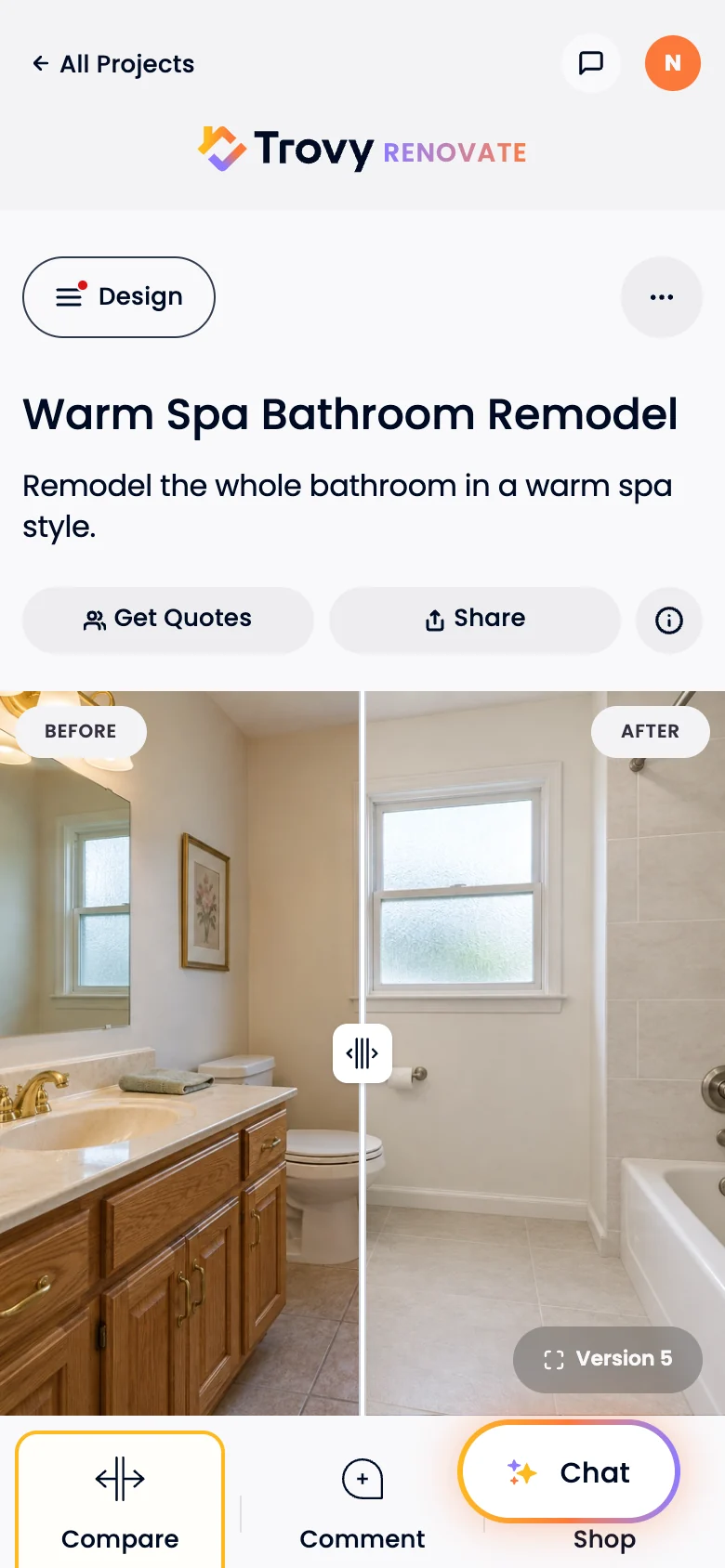
Design ReadyThe new room drawn on the homeowner’s photo, with a before/after slider and Compare, Comment and Shop.
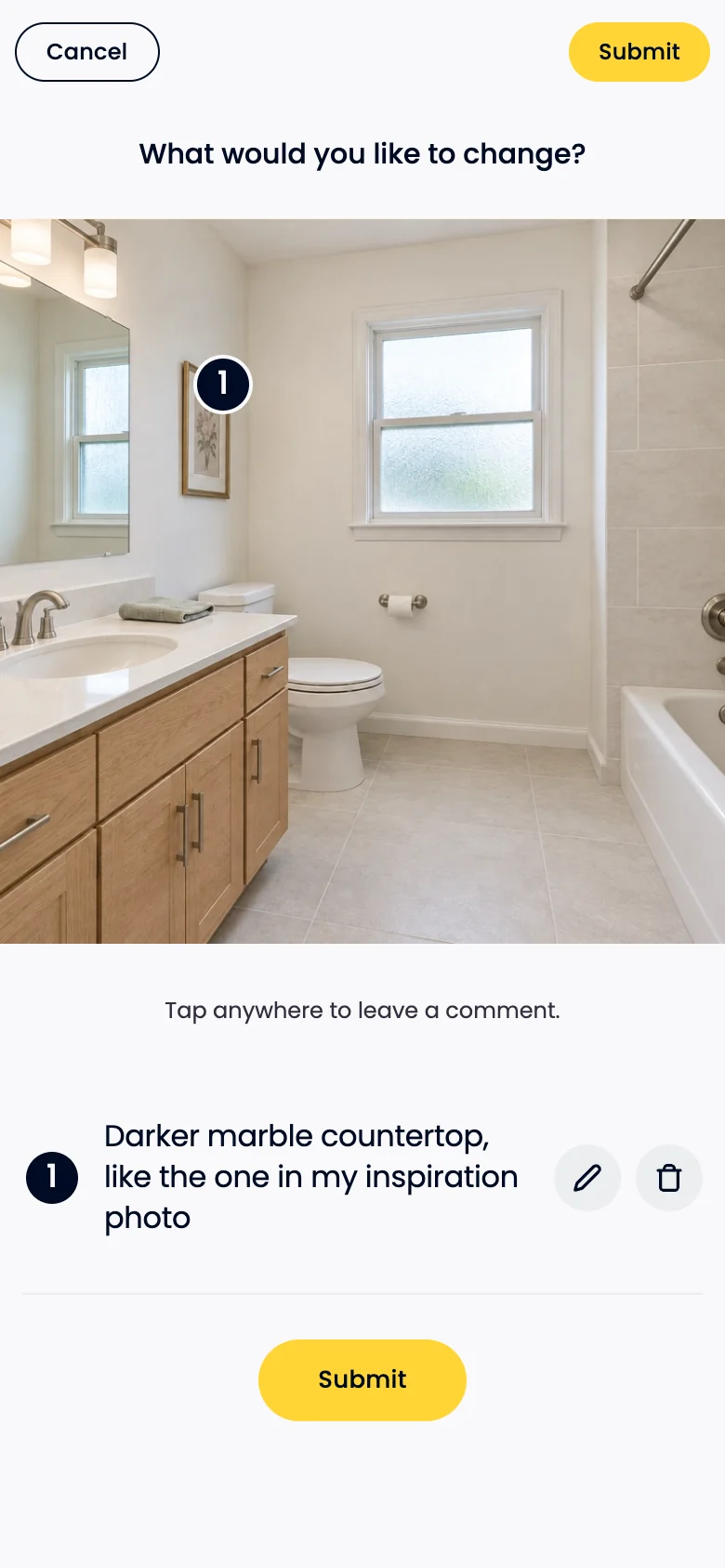
Comment on the DesignTap anywhere on the photo to pin a change for the next version.
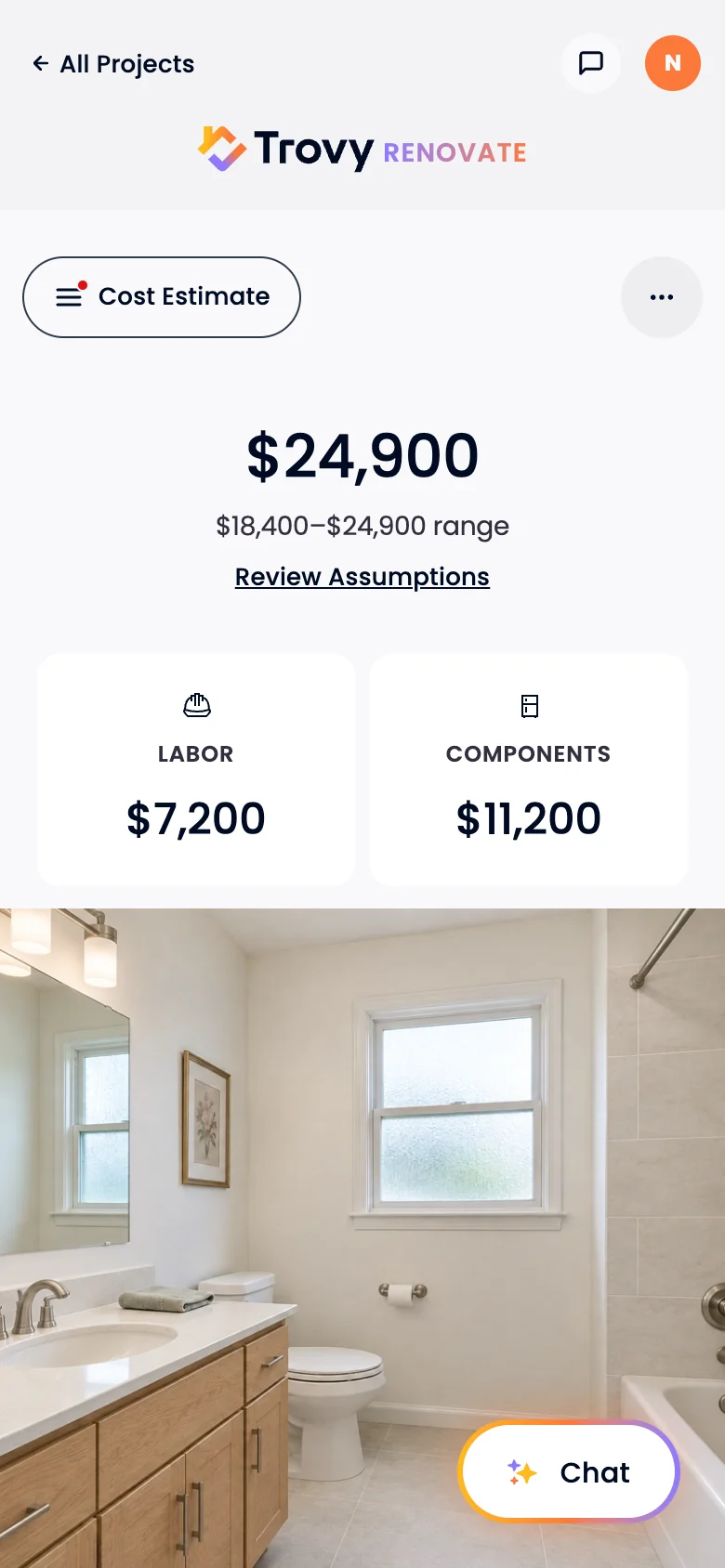
Cost EstimateA price range with labor and components split out, and the assumptions one tap away.
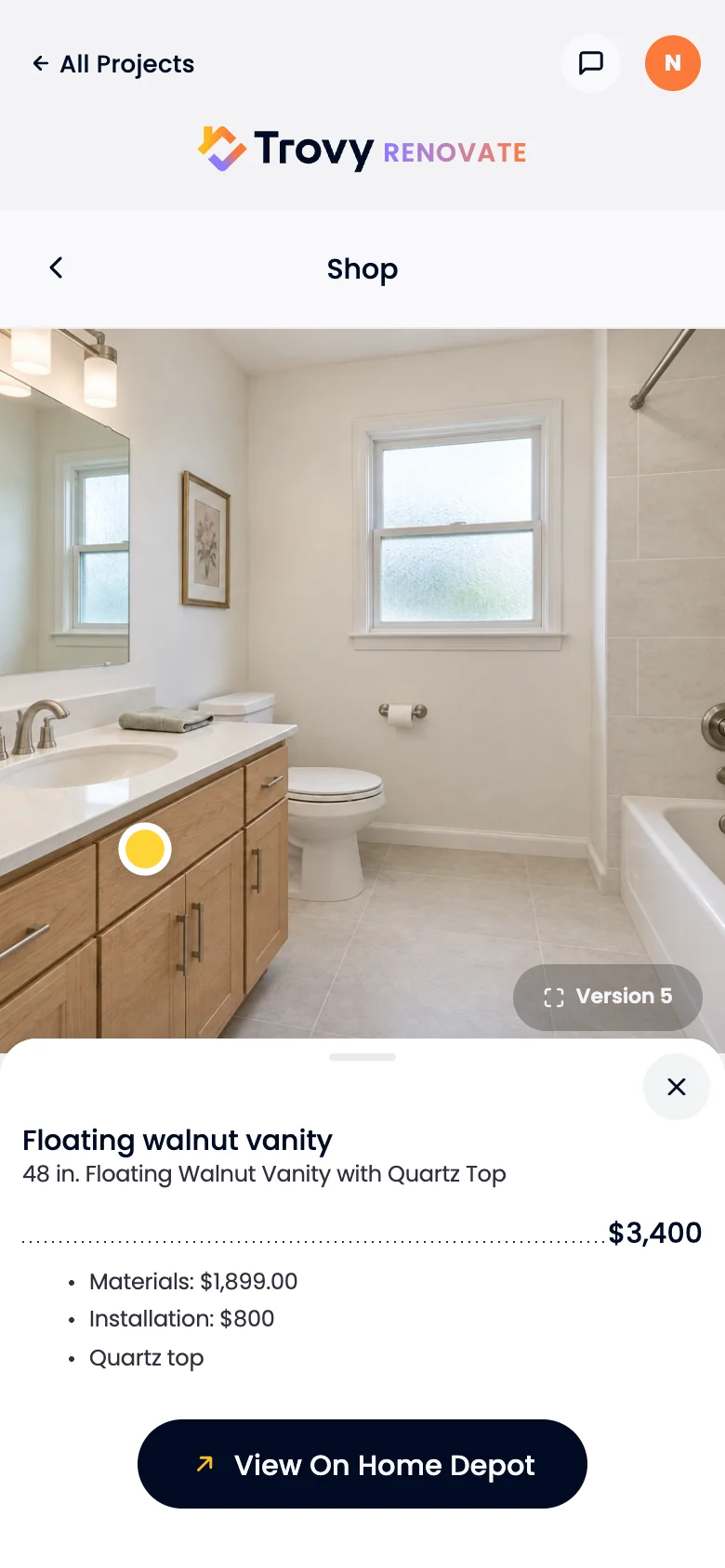
Shop the DesignEach product is pinned on the photo, with its price, materials and installation, and a link to buy it.
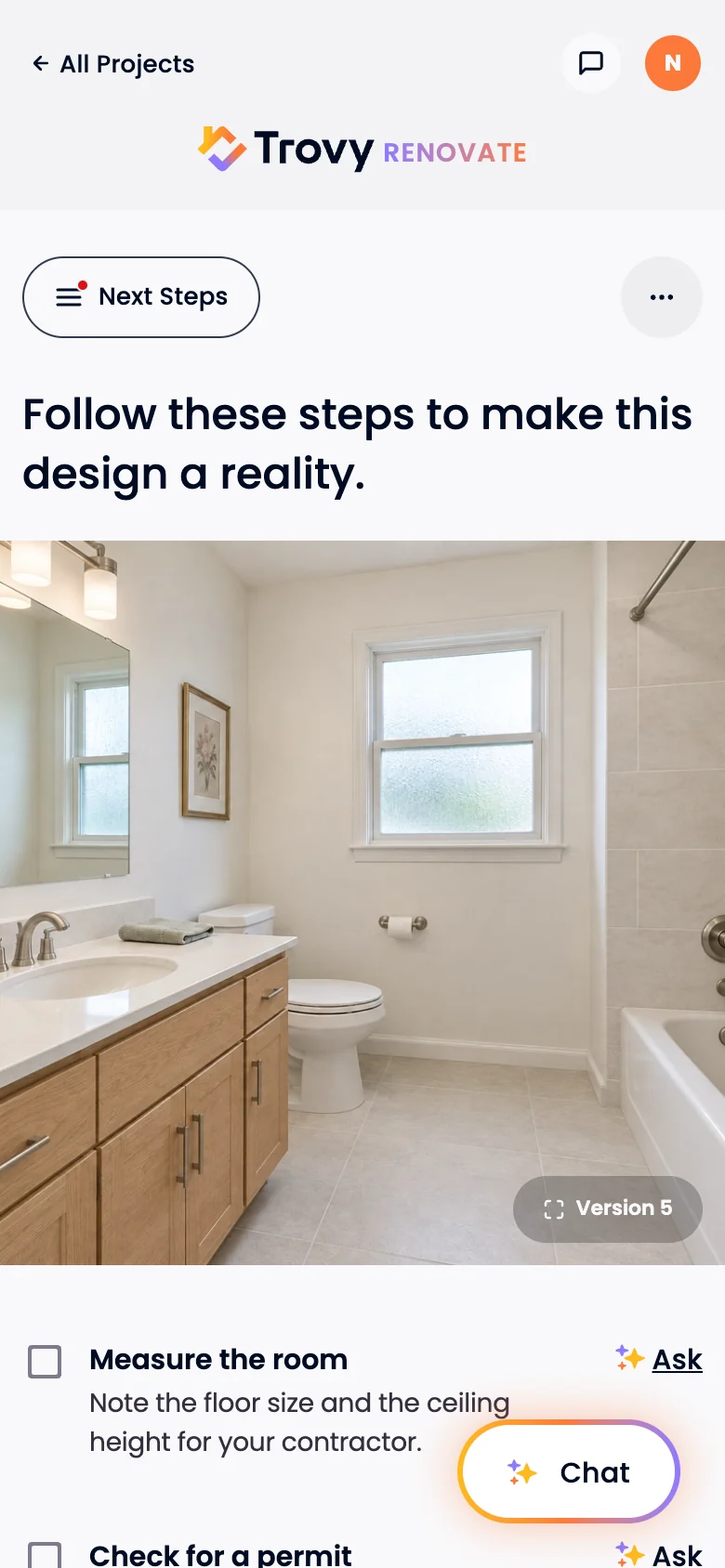
Next StepsA checklist for making the design real: measure the room, check for permits, and ask Renault about any step.
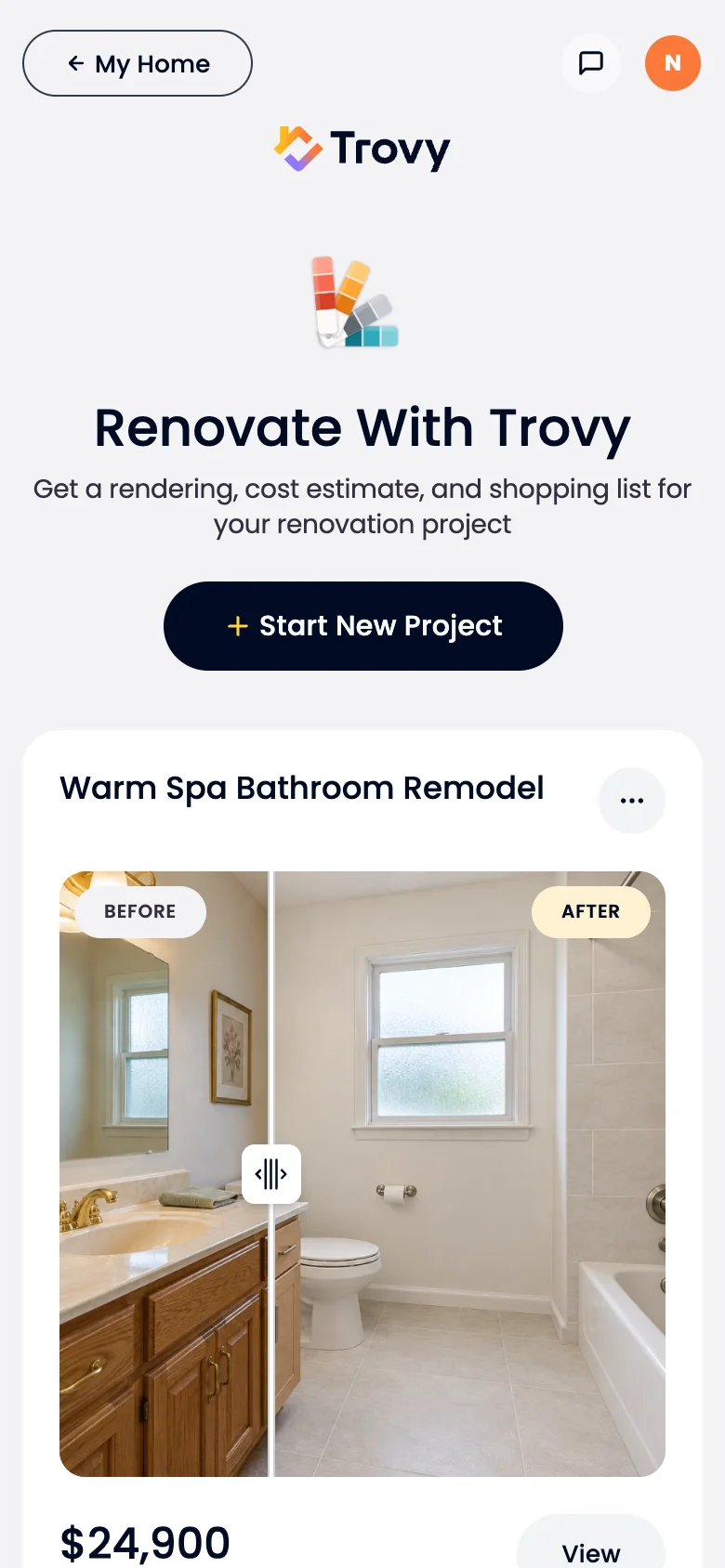
All ProjectsEvery project with its latest version and estimate.
Application
9 screens
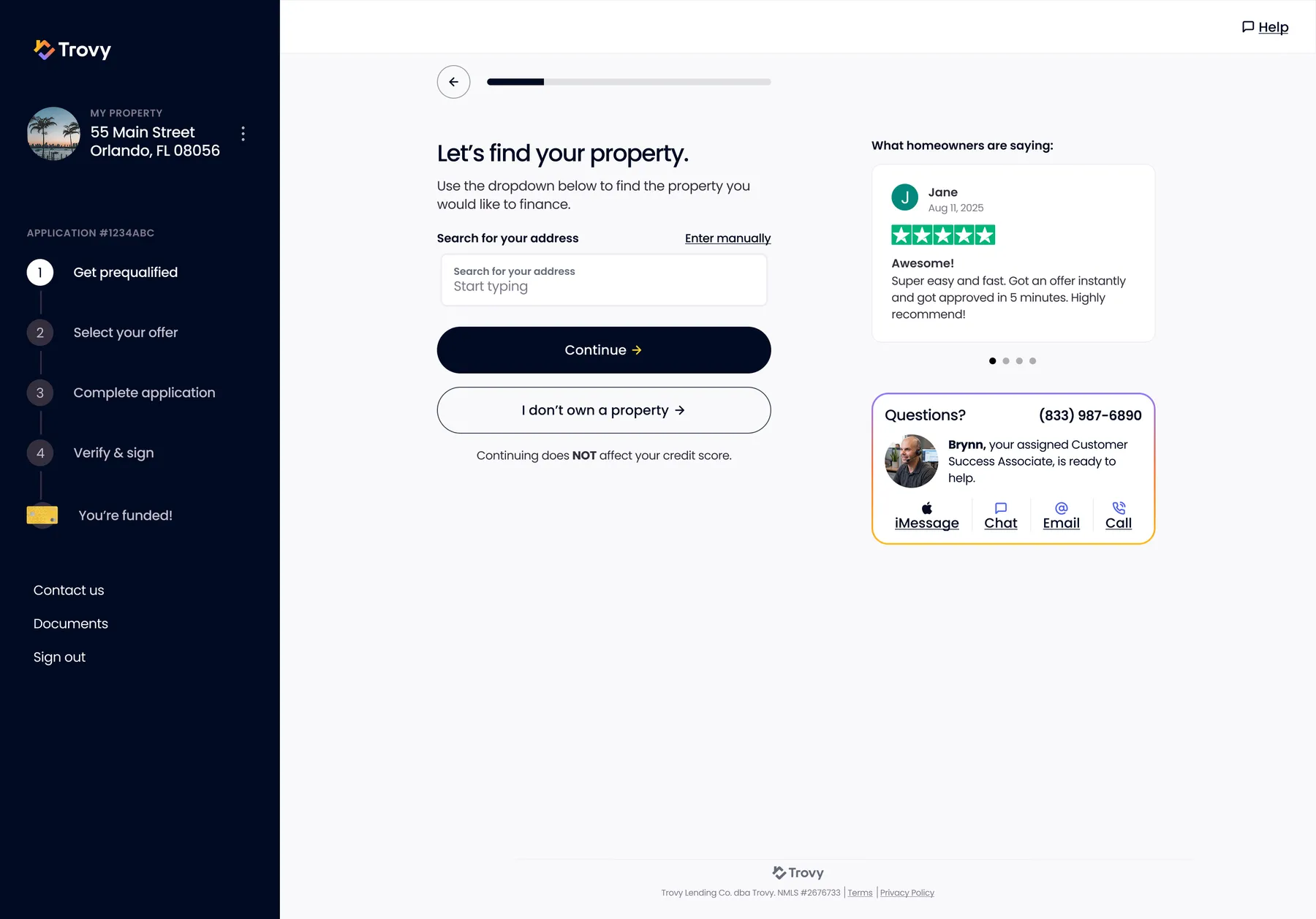
Application - Find Your PropertyStart of the application: address lookup with manual fallback and an "I don't own a property" exit, with testimonials and a named support contact alongside.
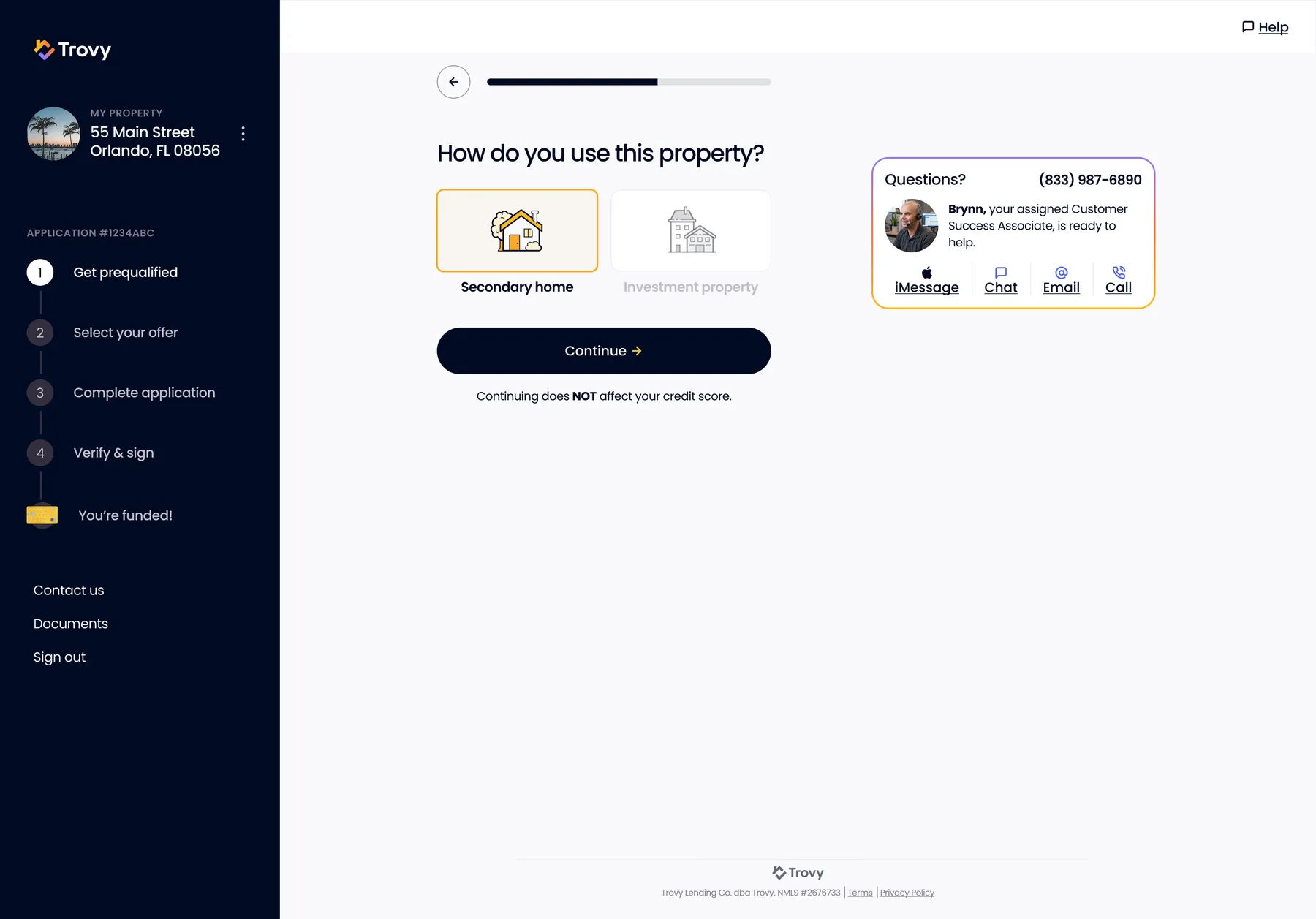
Application - How Do You Use This Property?Primary vs secondary home vs investment property, which drives eligibility.
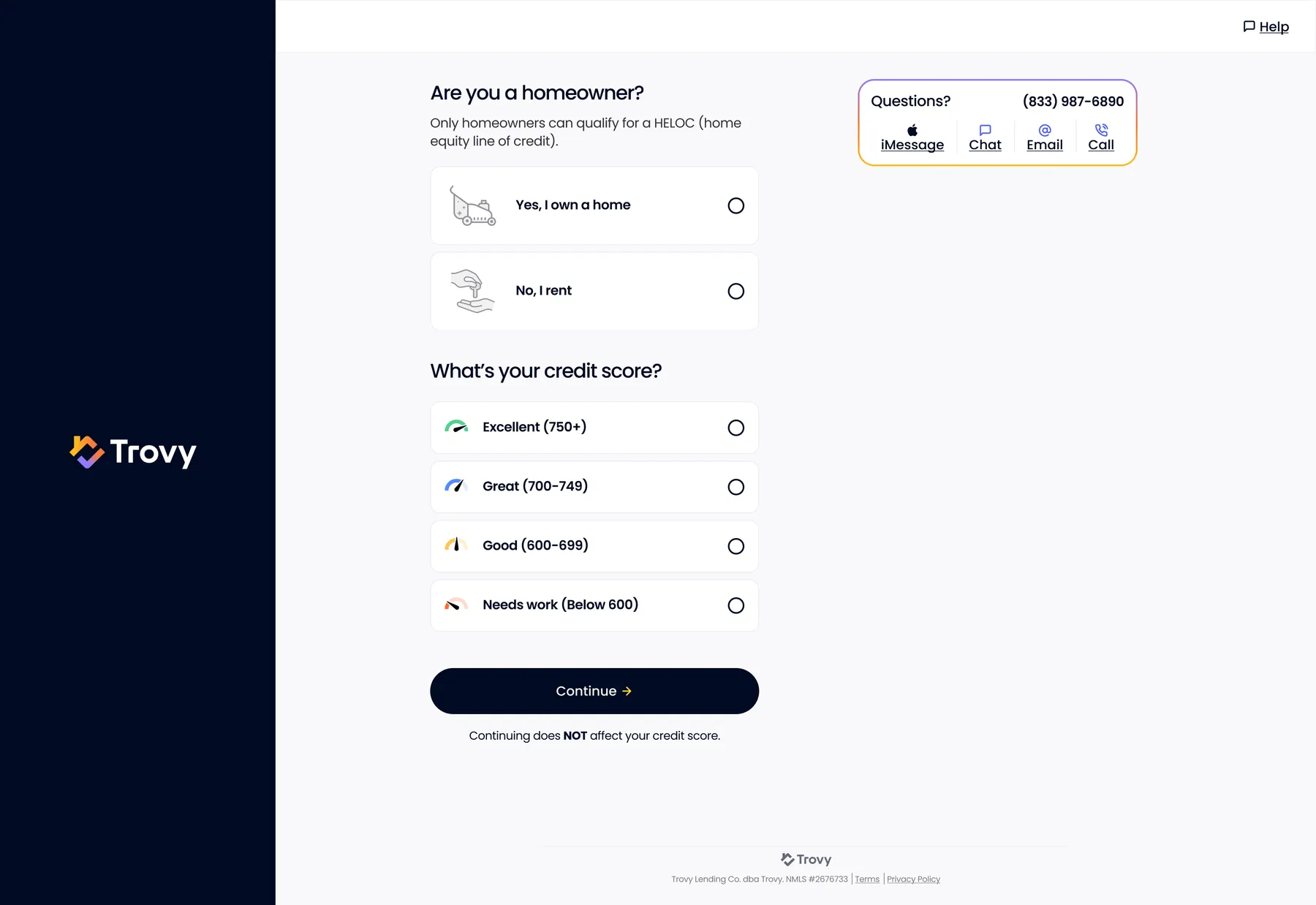
Application - Homeowner and Credit ScoreSelf-reported homeownership and credit band with a clear "does NOT affect your credit score" promise.
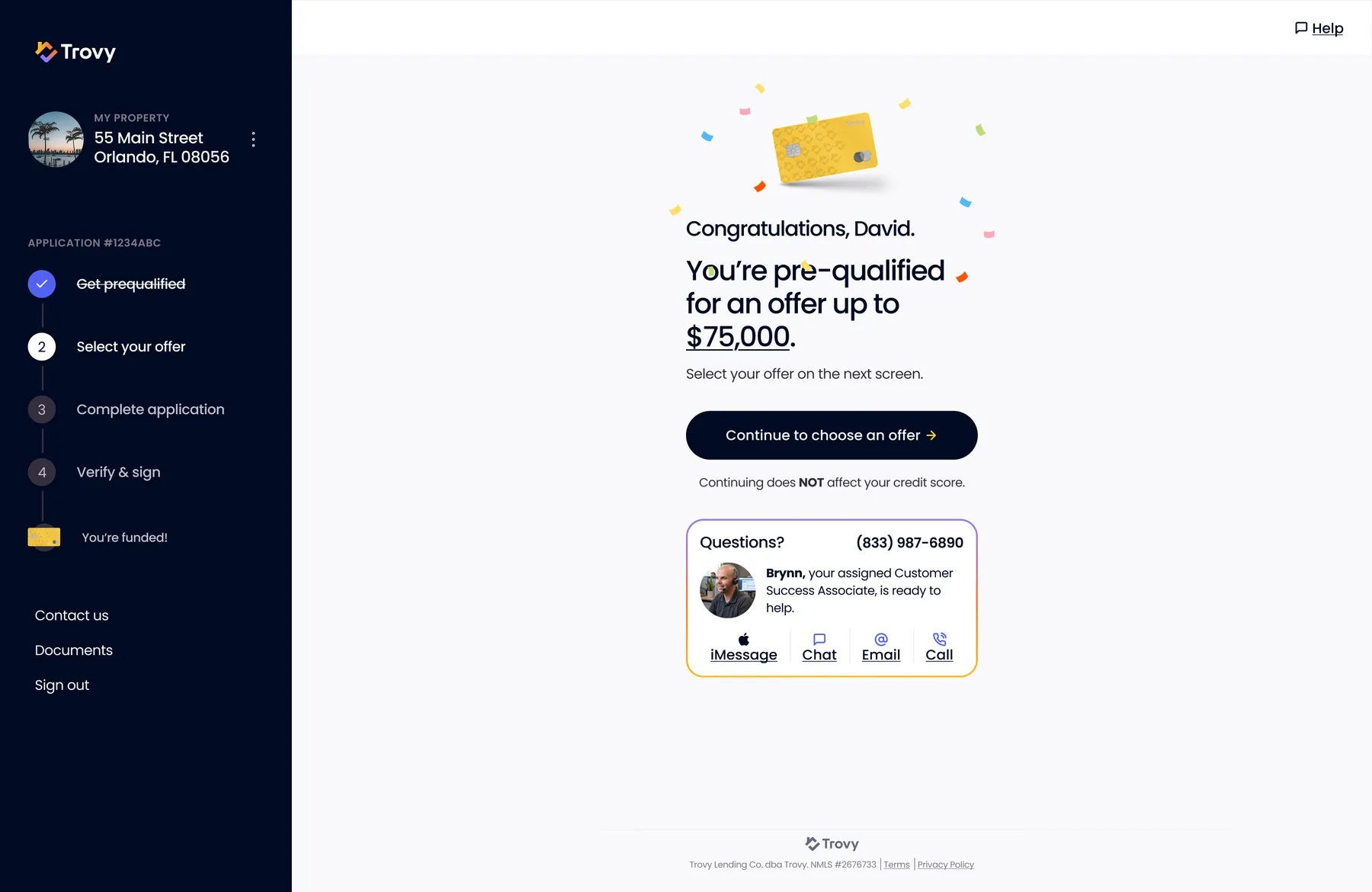
Pre-Qualified Celebration"You're pre-qualified for up to $75,000": a celebration moment before the offer step.
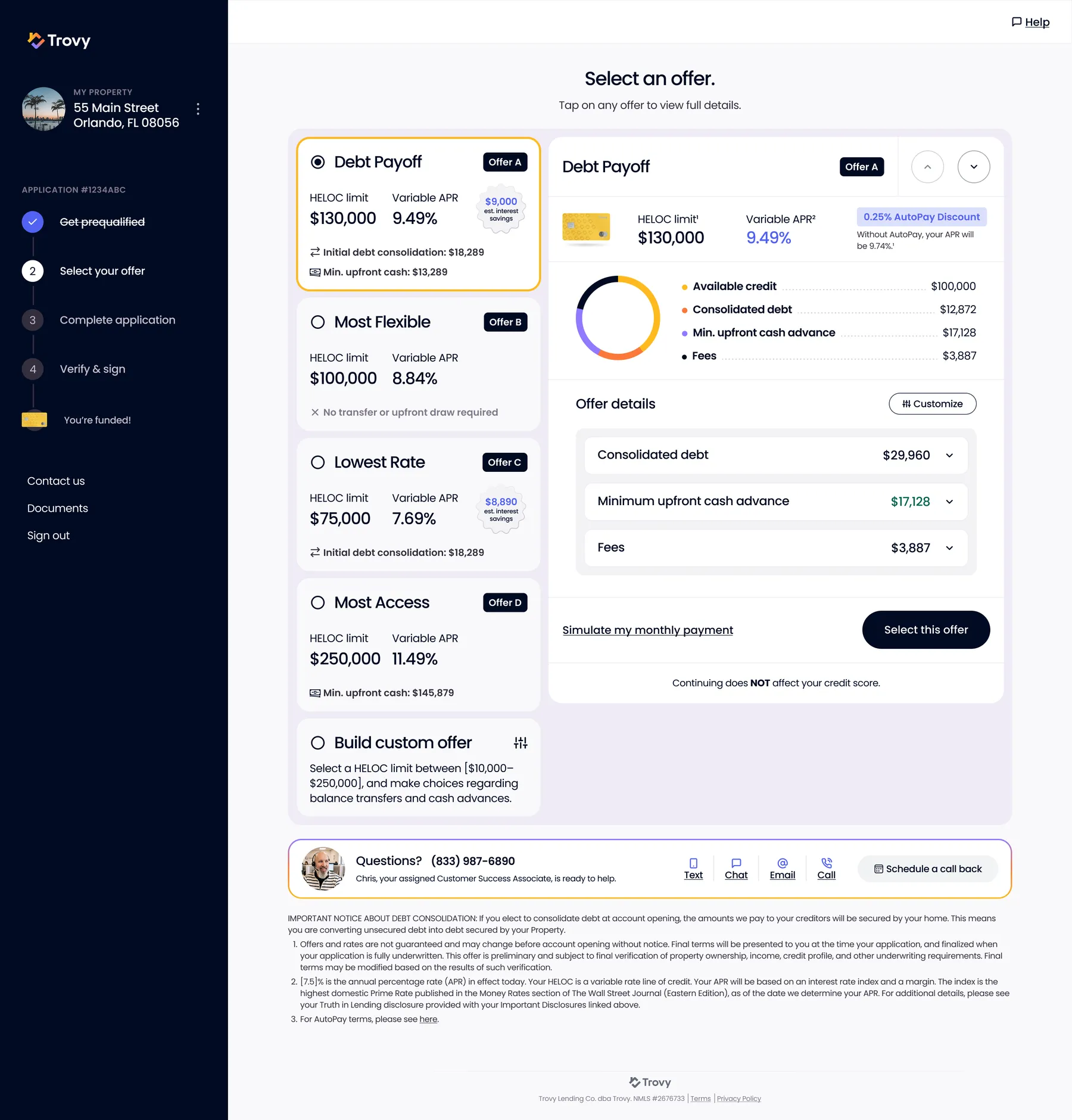
Select an Offer - Packaged OffersFour named offers (Debt Payoff, Most Flexible, Lowest Rate, Most Access) so homeowners pick a goal, not a spreadsheet; a donut shows where the line goes.
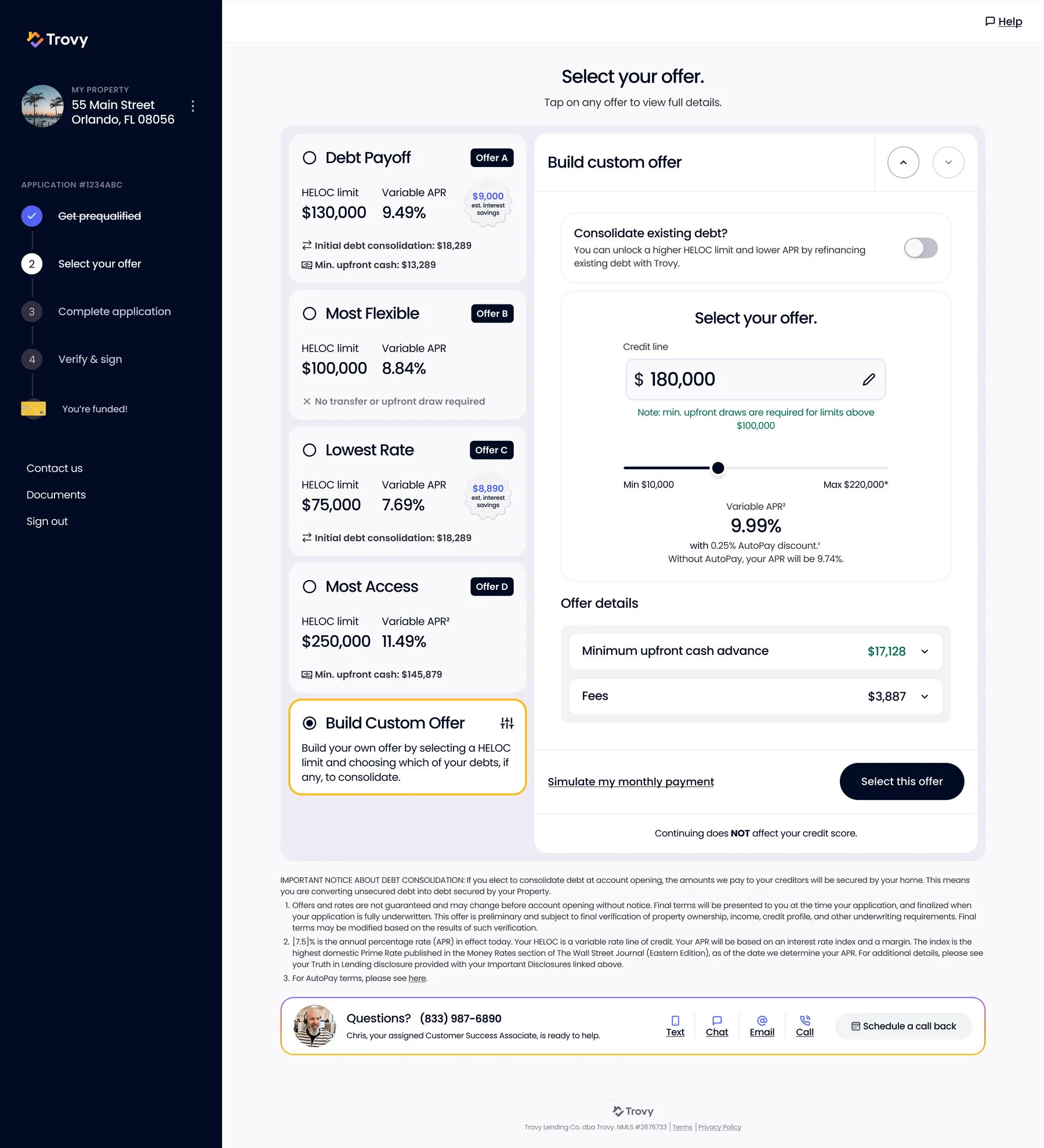
Select an Offer - Build Your OwnCustom offer builder: slide the credit line, toggle debt consolidation, and watch APR, upfront draw and fees update live.
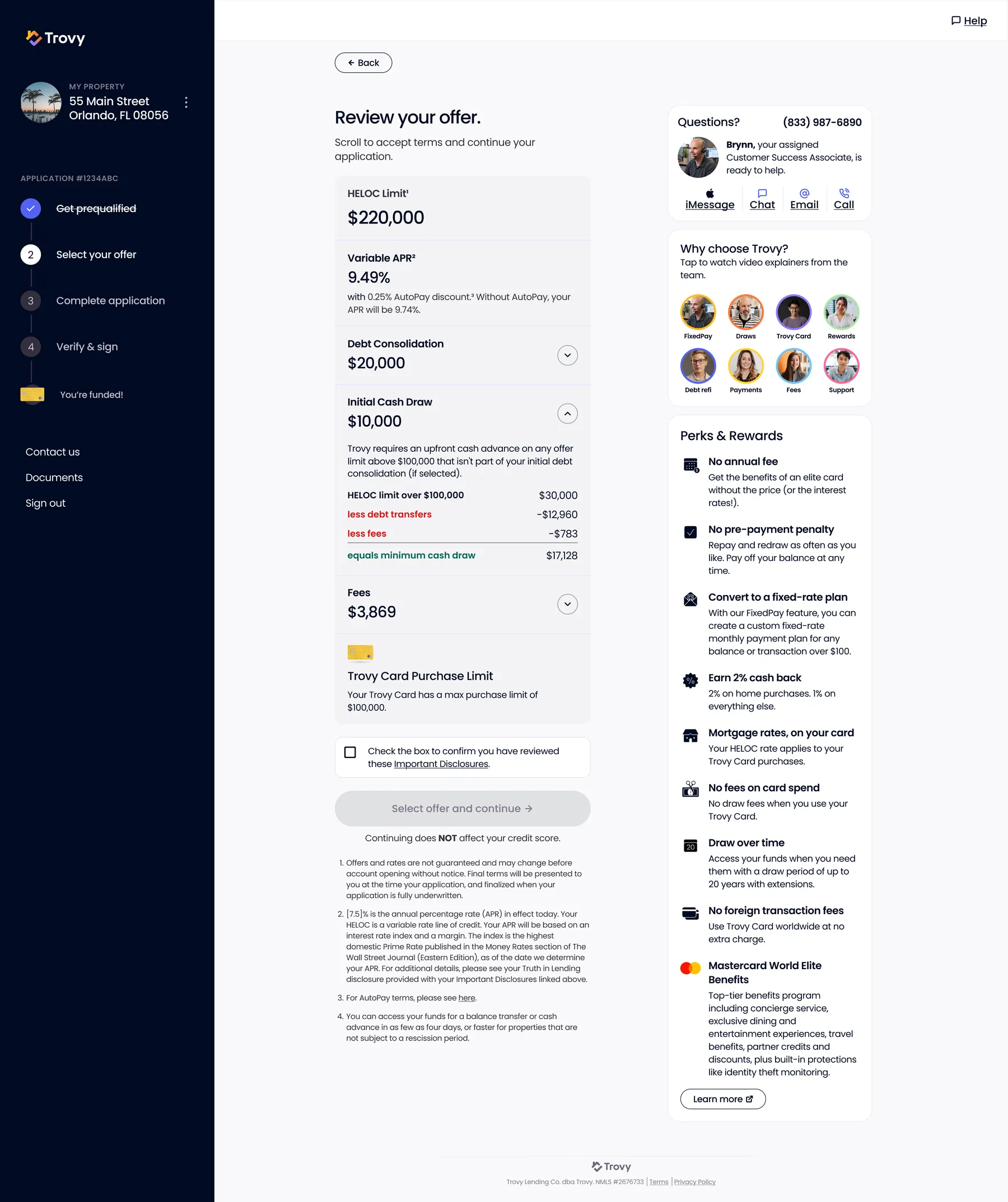
Review Your OfferLine-by-line offer review, including the math behind the minimum cash draw, plus video explainers from the team and a perks list.
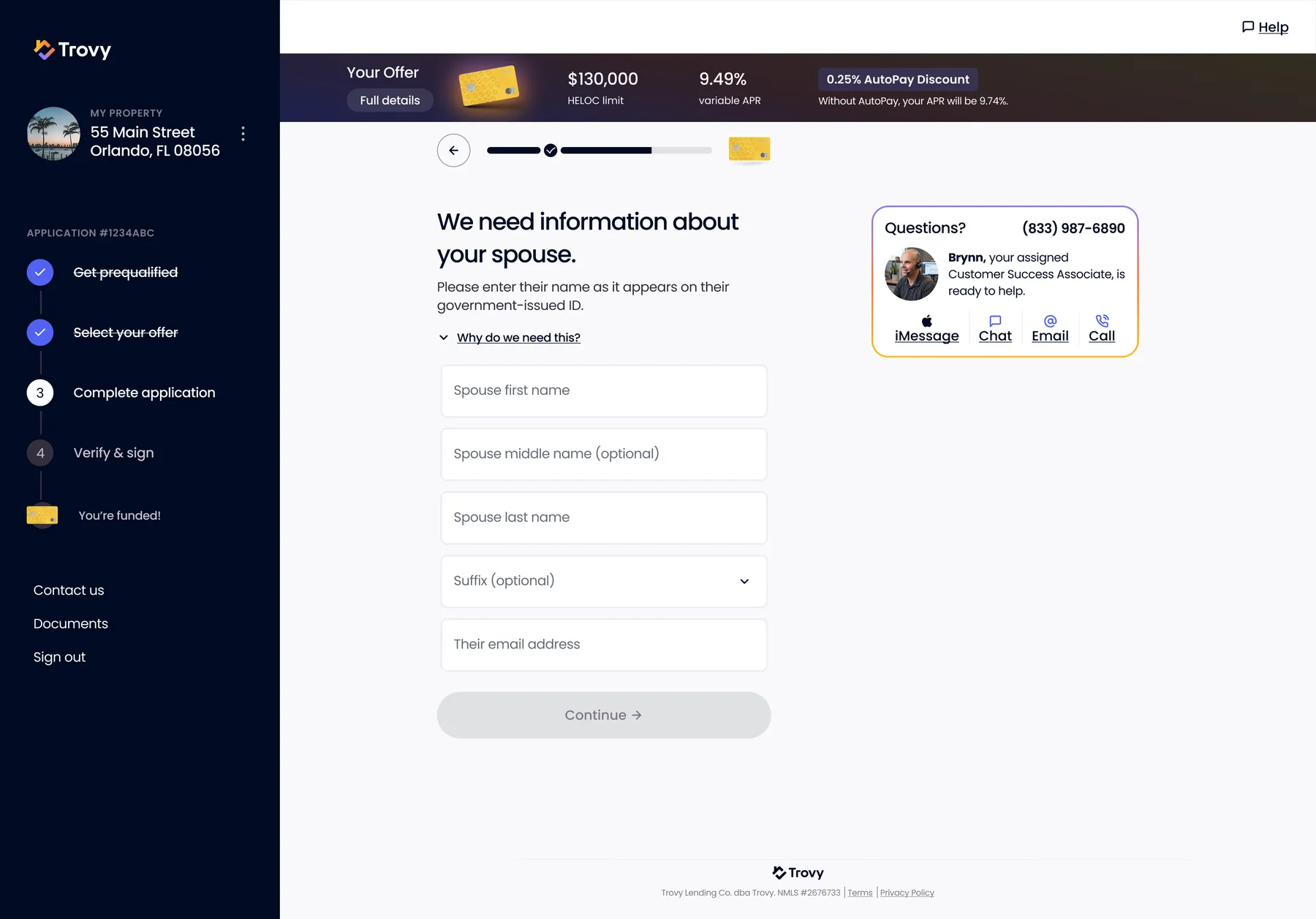
Application - Spouse InformationAsks only what's needed, with "Why do we need this?" disclosed inline; the offer summary bar stays pinned.
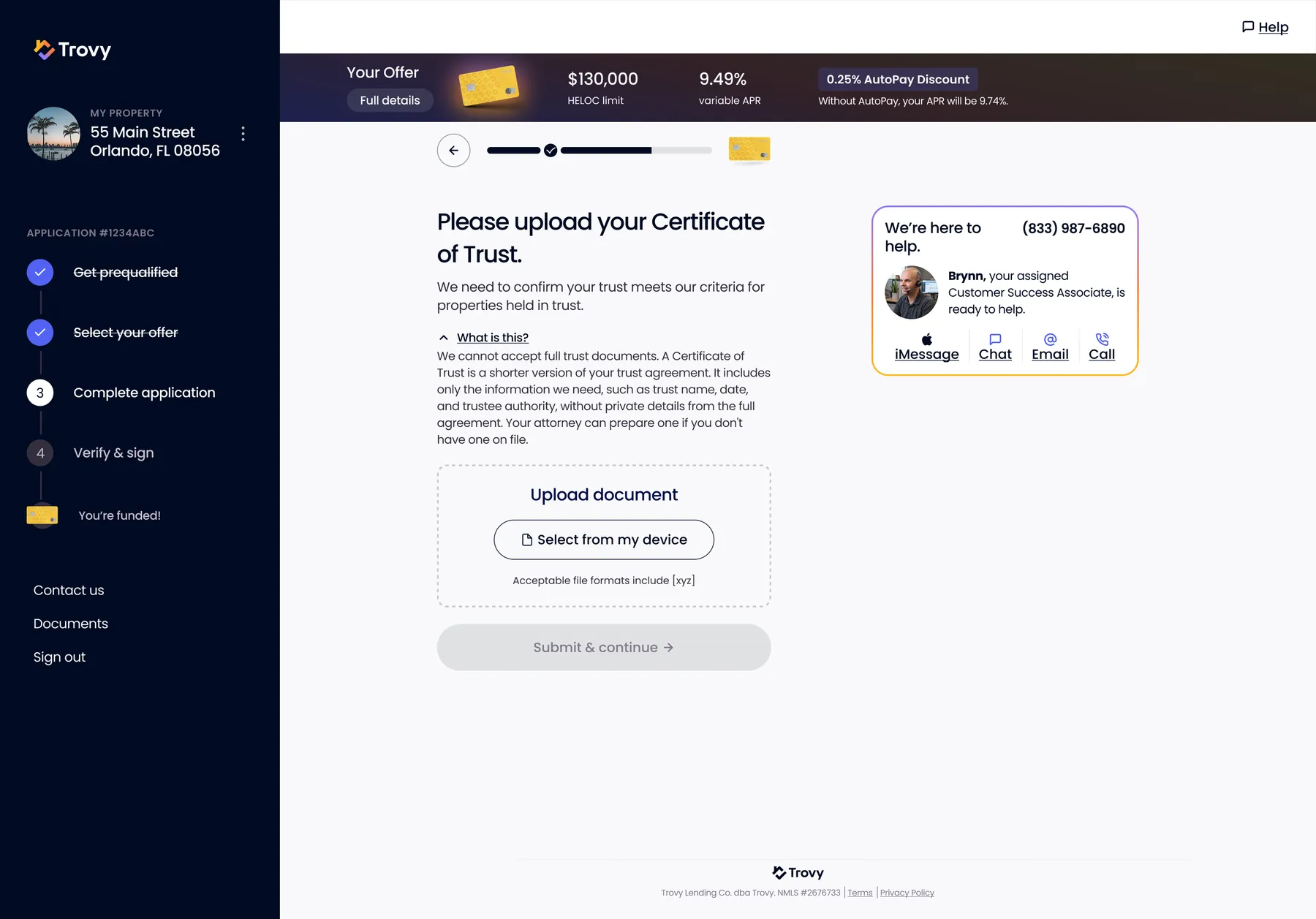
Application - Certificate of TrustHandles properties held in trust, explaining in plain English what a certificate of trust is and why.
Onboarding
3 screens
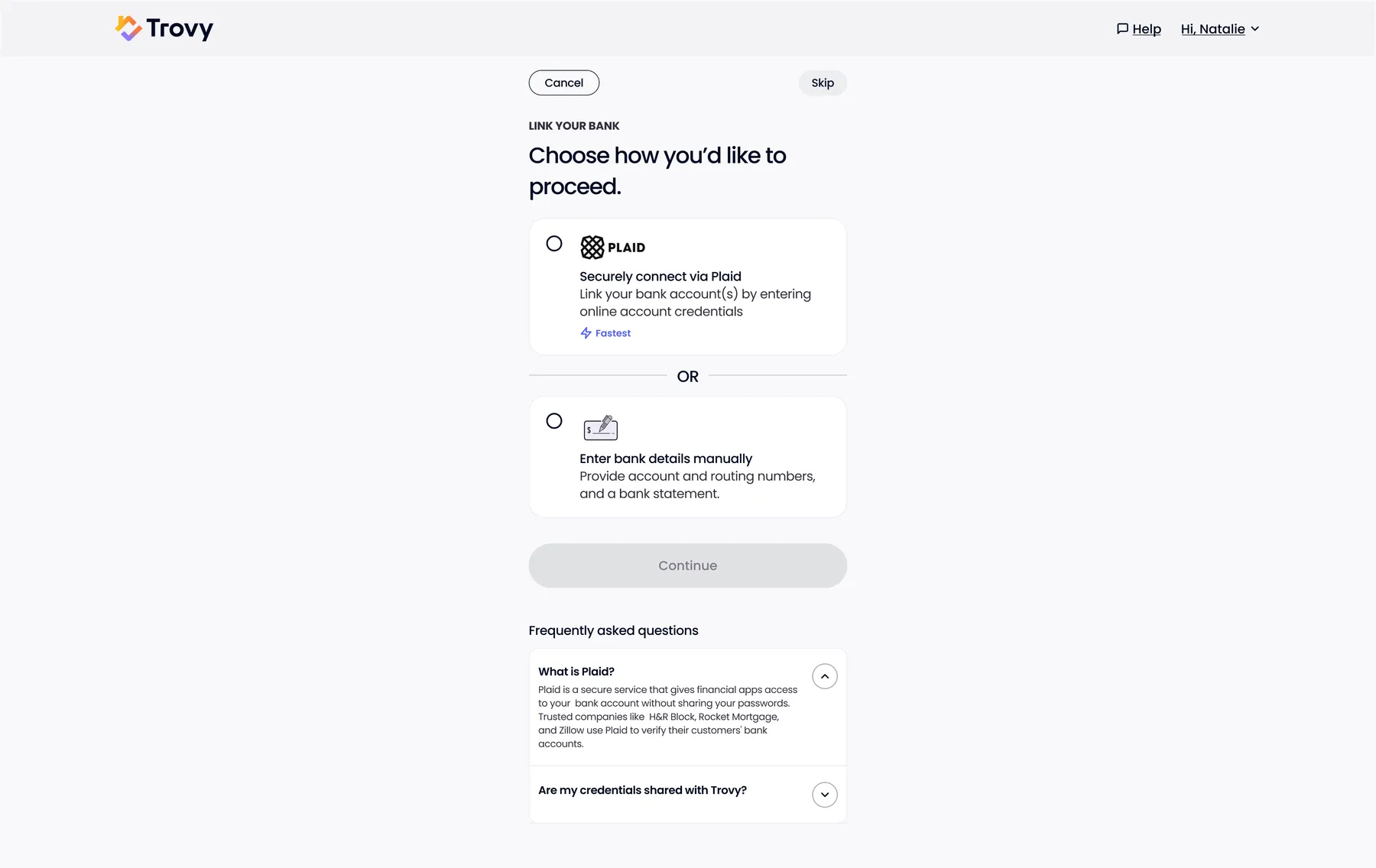
Link Your BankPlaid (fastest) or manual entry, with FAQs answering the trust questions up front.
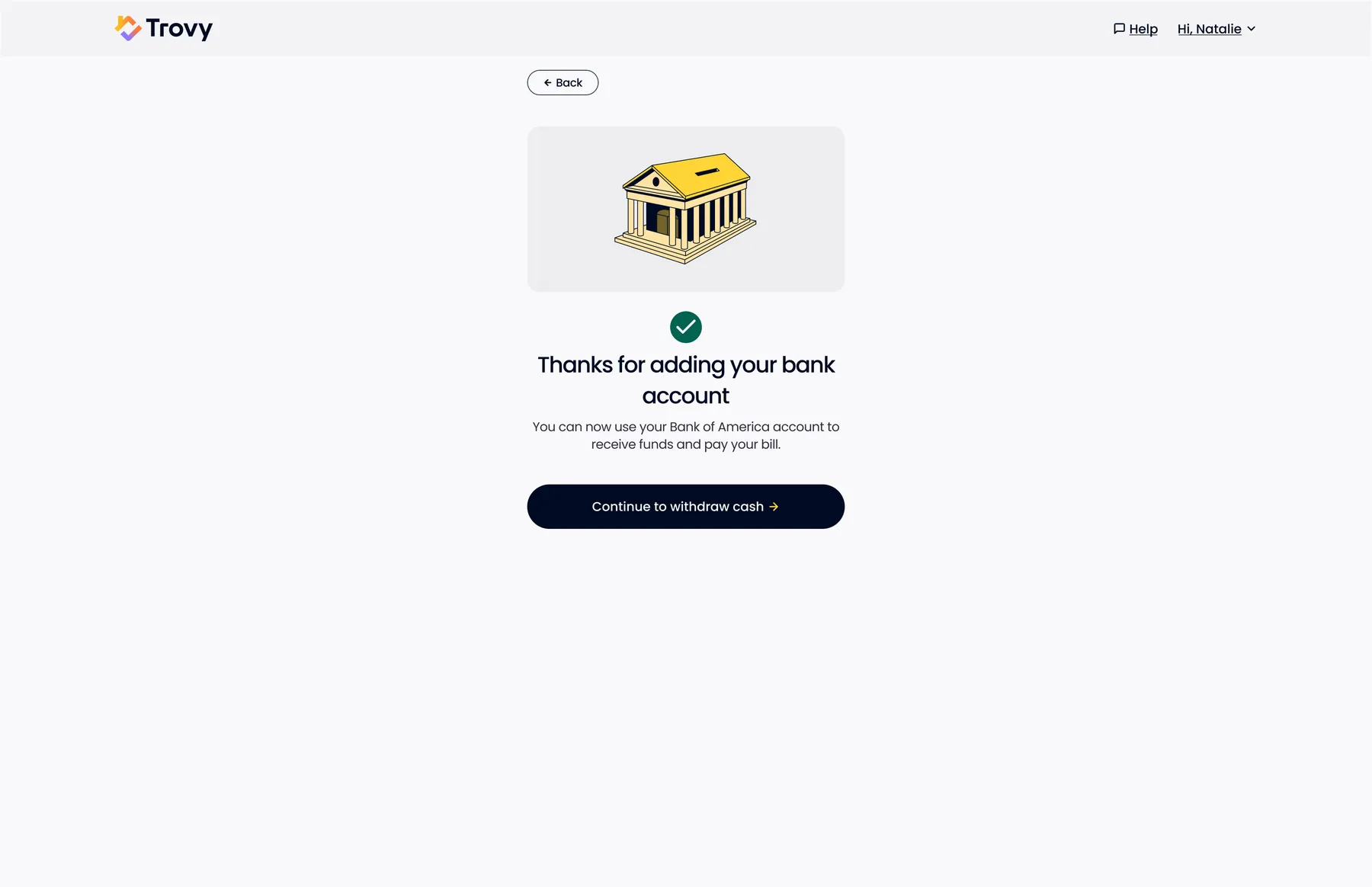
Bank Account AddedSuccess state that hands straight back to the cash withdrawal the user started.
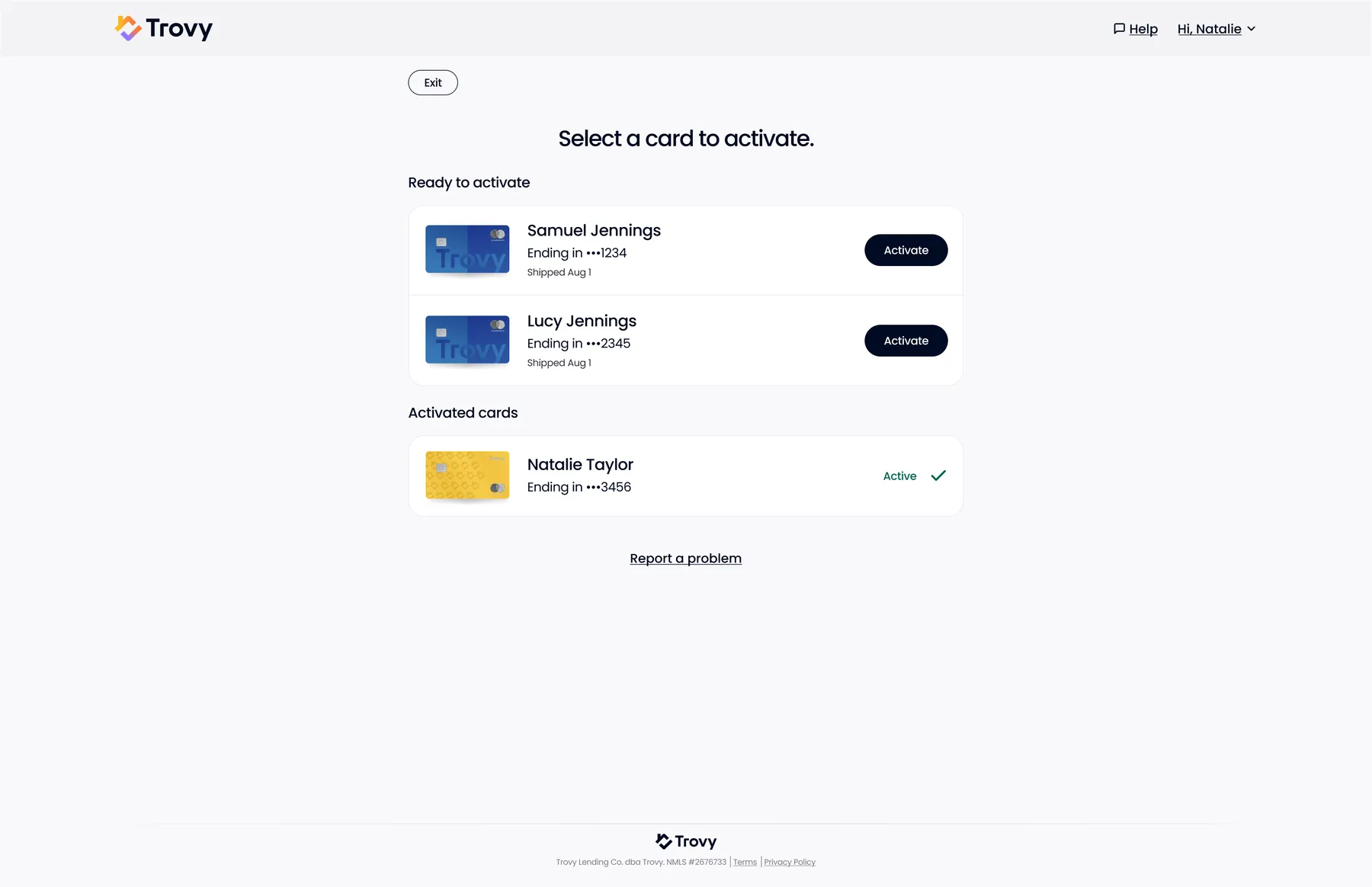
Activate CardsActivate your own and household authorized-user cards from one list.
Account
15 screens
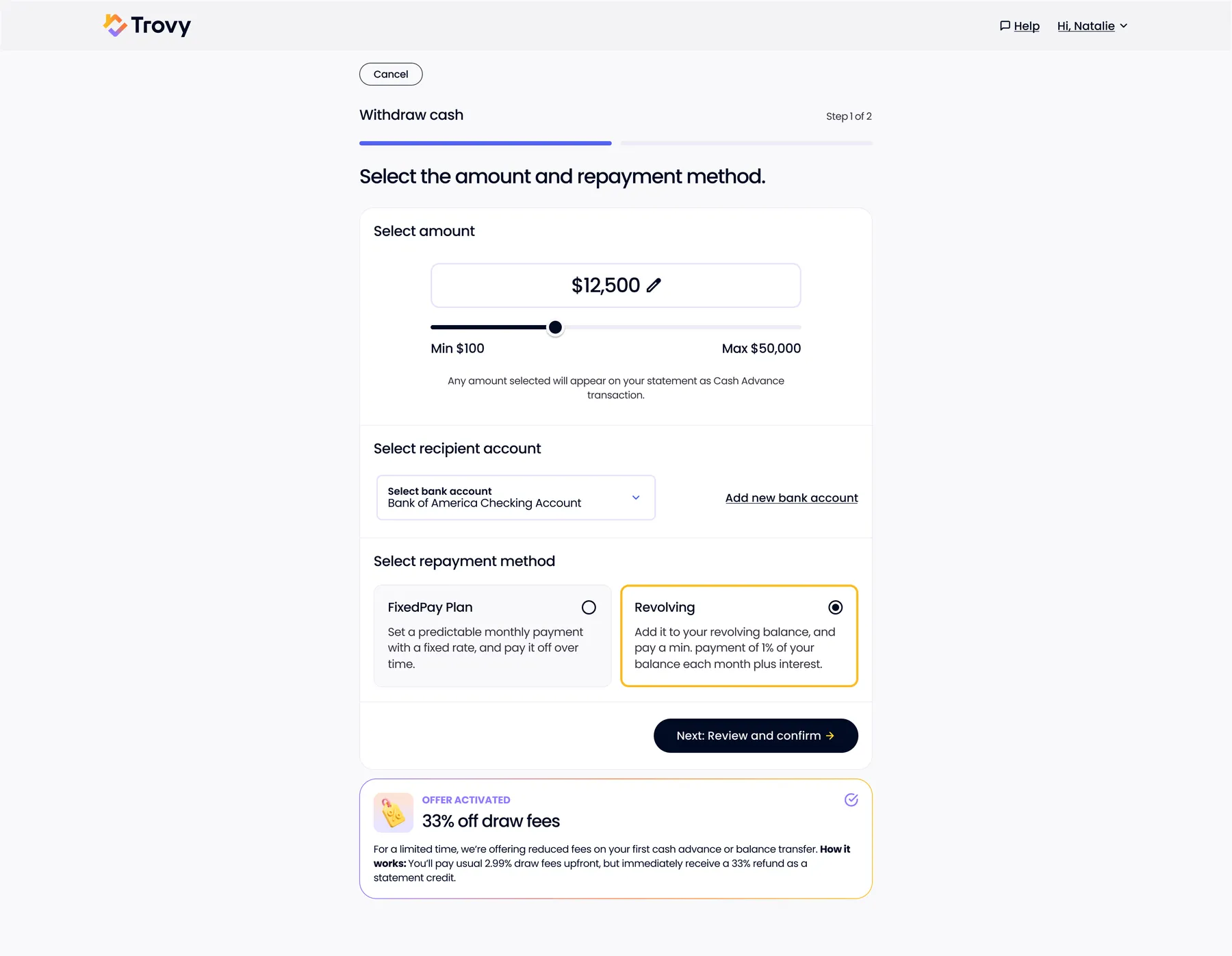
Withdraw CashChoose amount, destination account, and whether it revolves or becomes a fixed-rate FixedPay plan; promo applied automatically.
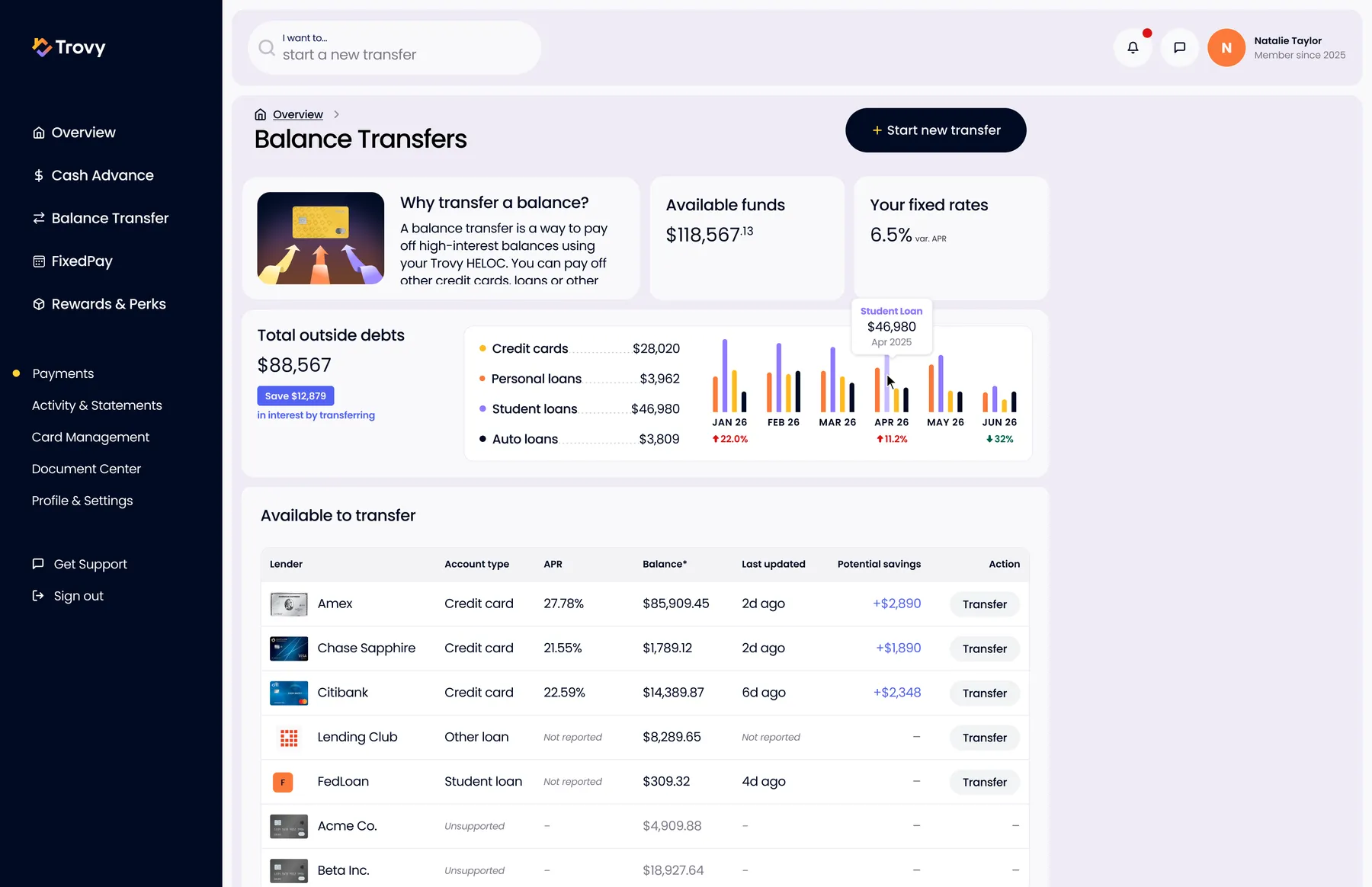
Balance Transfers HubAll outside debt in one view, by type and over time, with APR and potential savings per account and one-click Transfer.
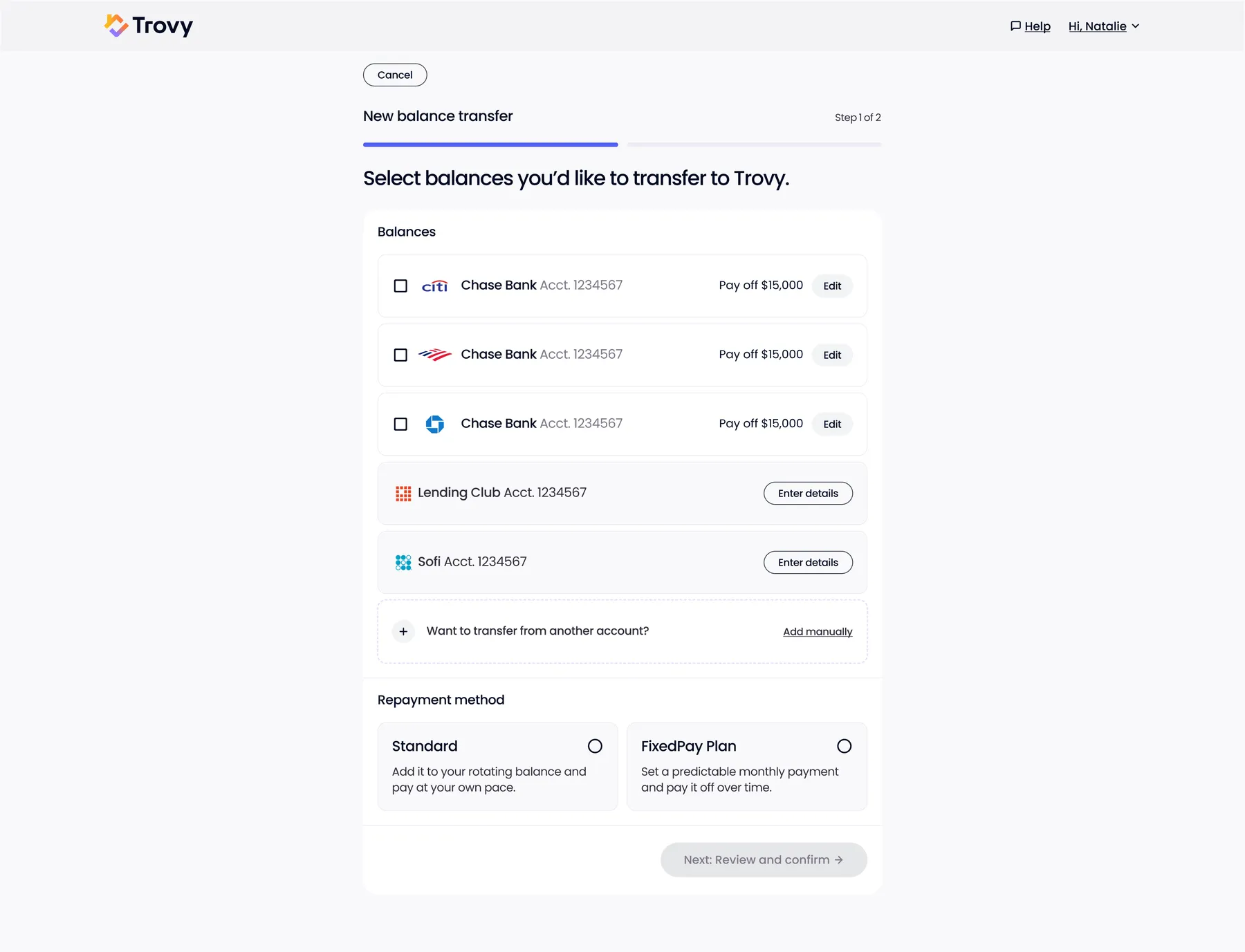
New Balance TransferPick linked balances (or add one manually) and choose standard or FixedPay repayment.
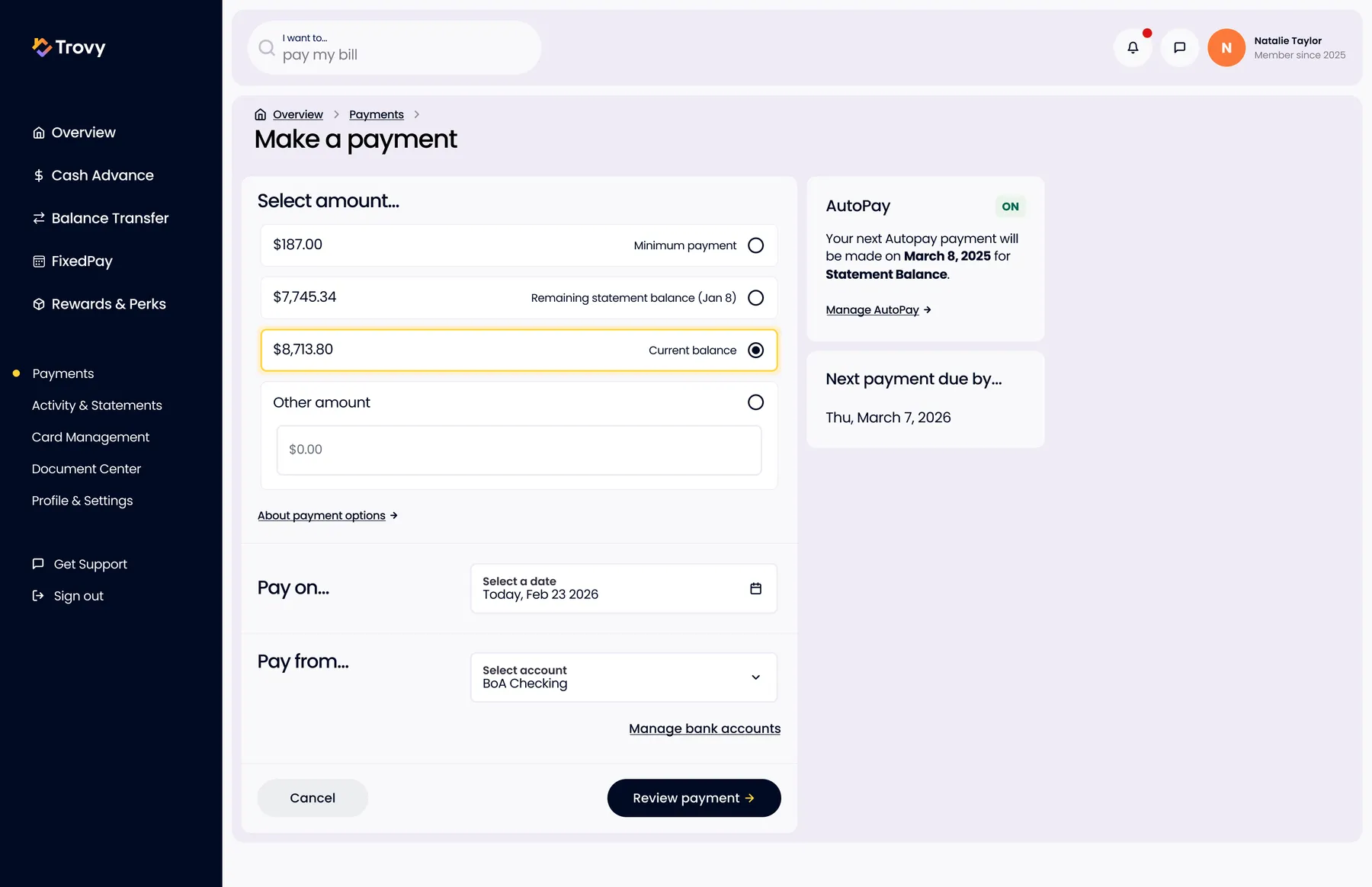
Make a PaymentPayment amount options (minimum, statement, current, other), date and source, with AutoPay status alongside.
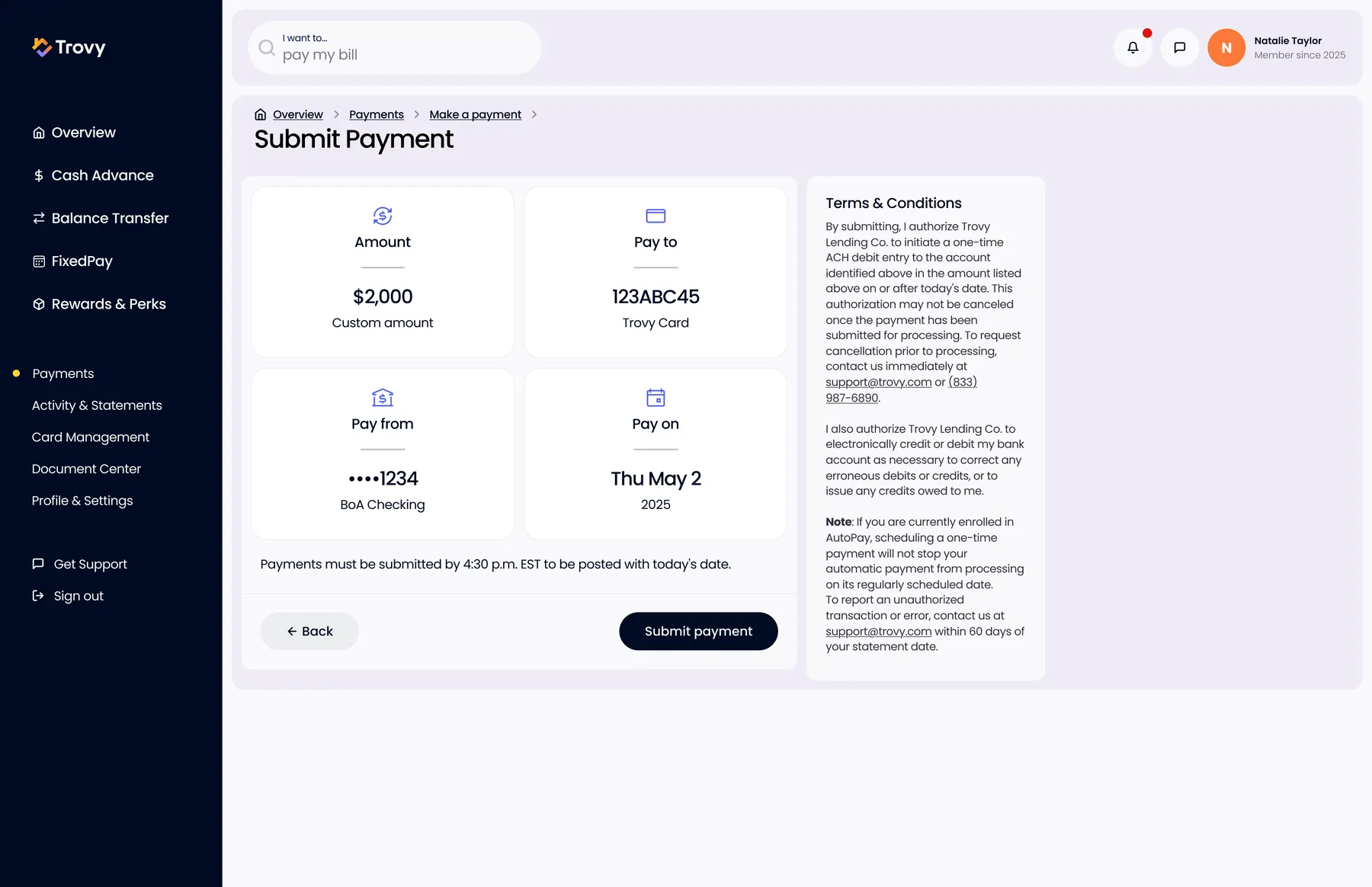
Submit PaymentFinal review tiles plus ACH authorization and the same-day cutoff time.
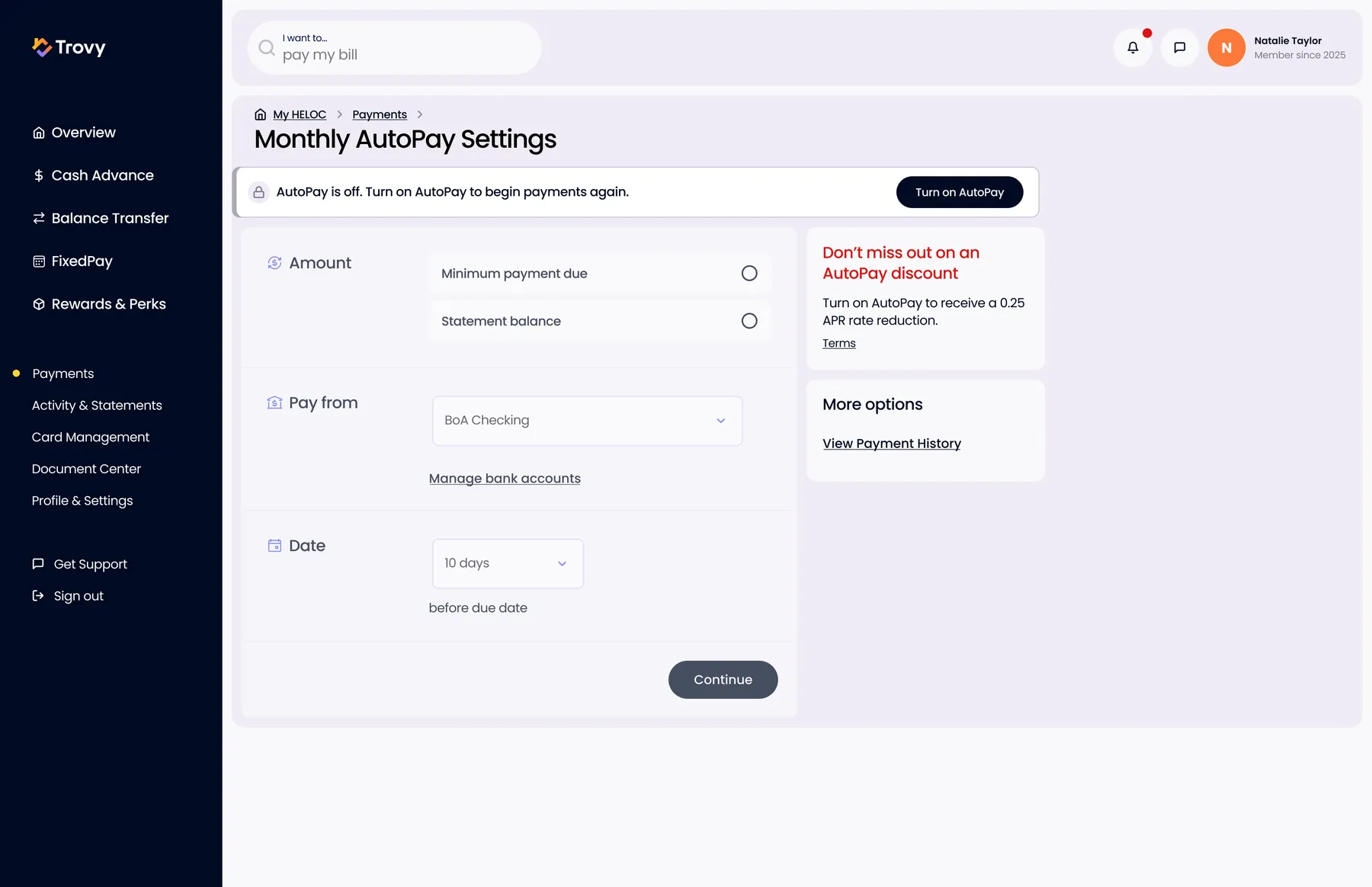
AutoPay SettingsAutoPay off state with the rate discount you're missing made explicit.
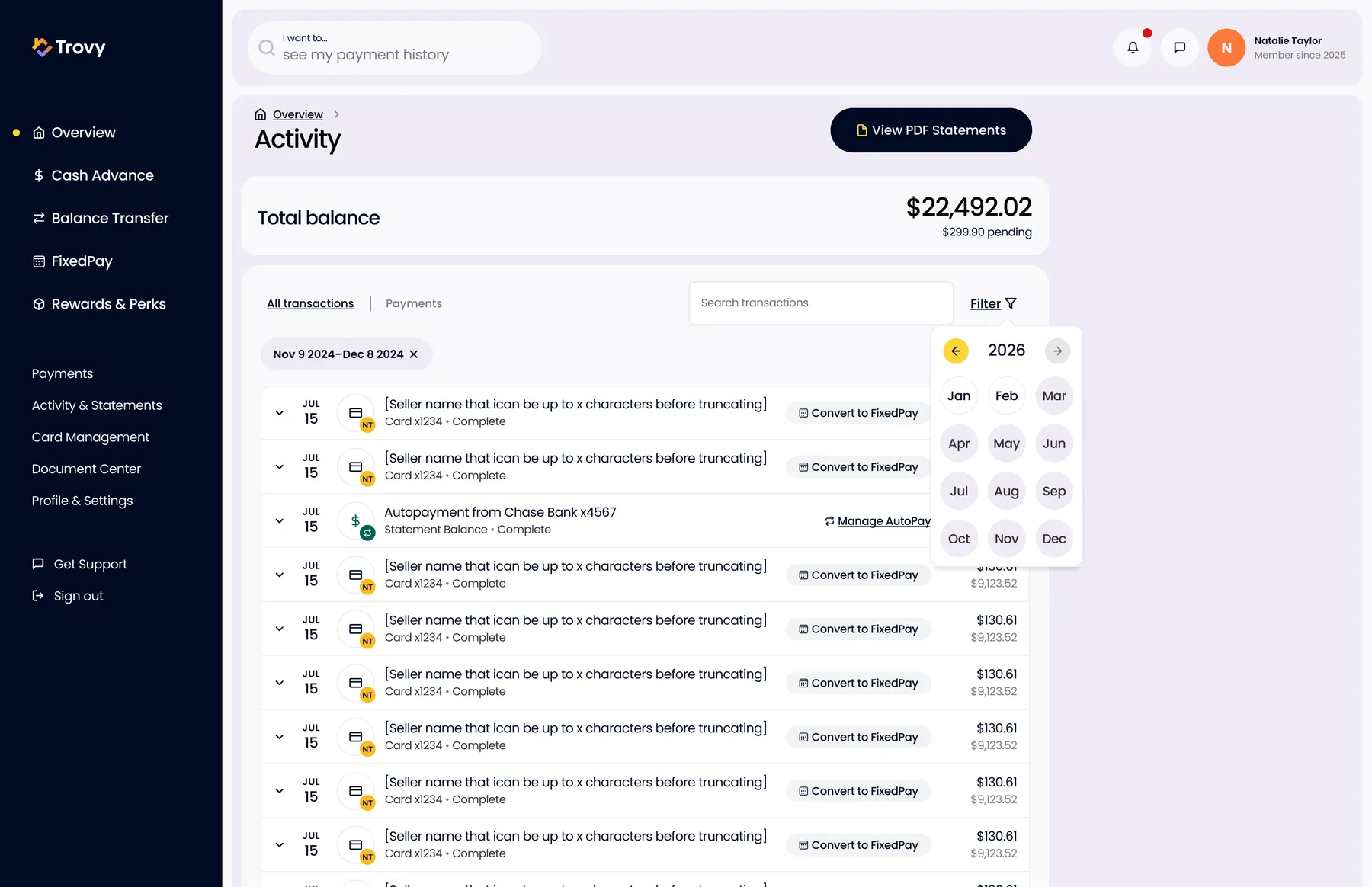
Activity - Filter by DateTransactions with search, a date-range filter, and Convert to FixedPay on any eligible purchase.
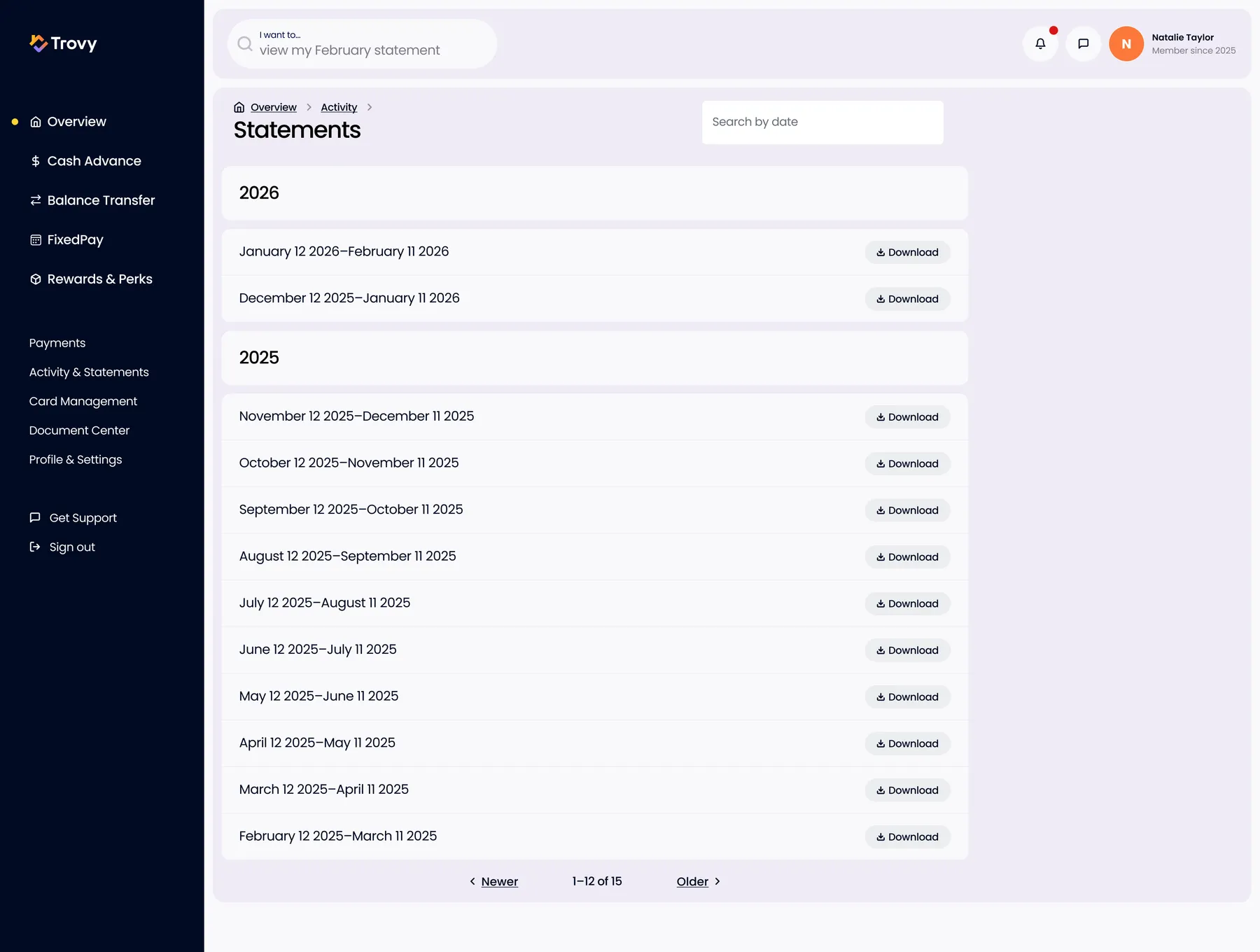
StatementsStatement archive by year with download.
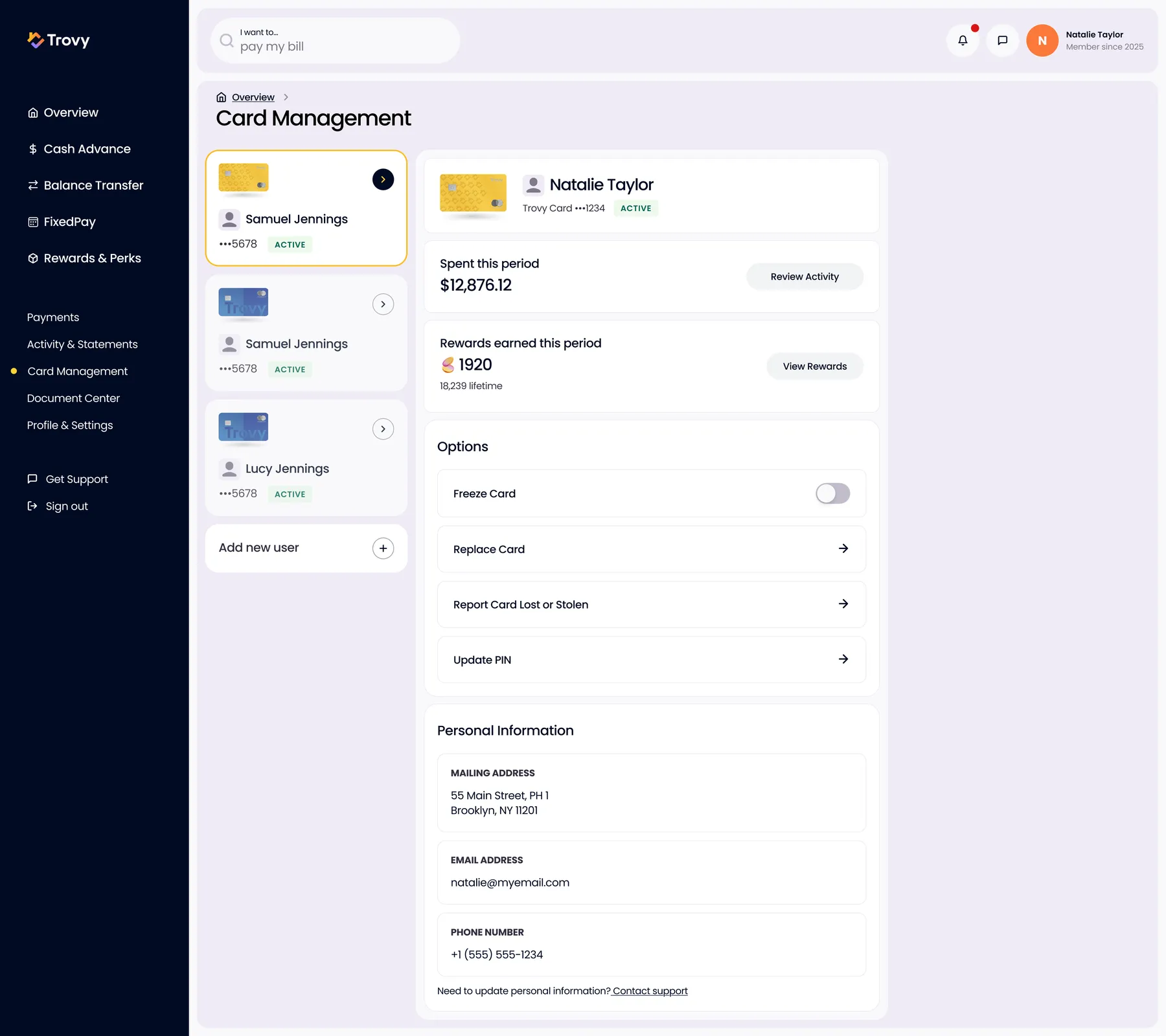
Card ManagementHousehold cards side by side: spend and rewards per card, freeze, replace, lost/stolen, PIN, add a user.
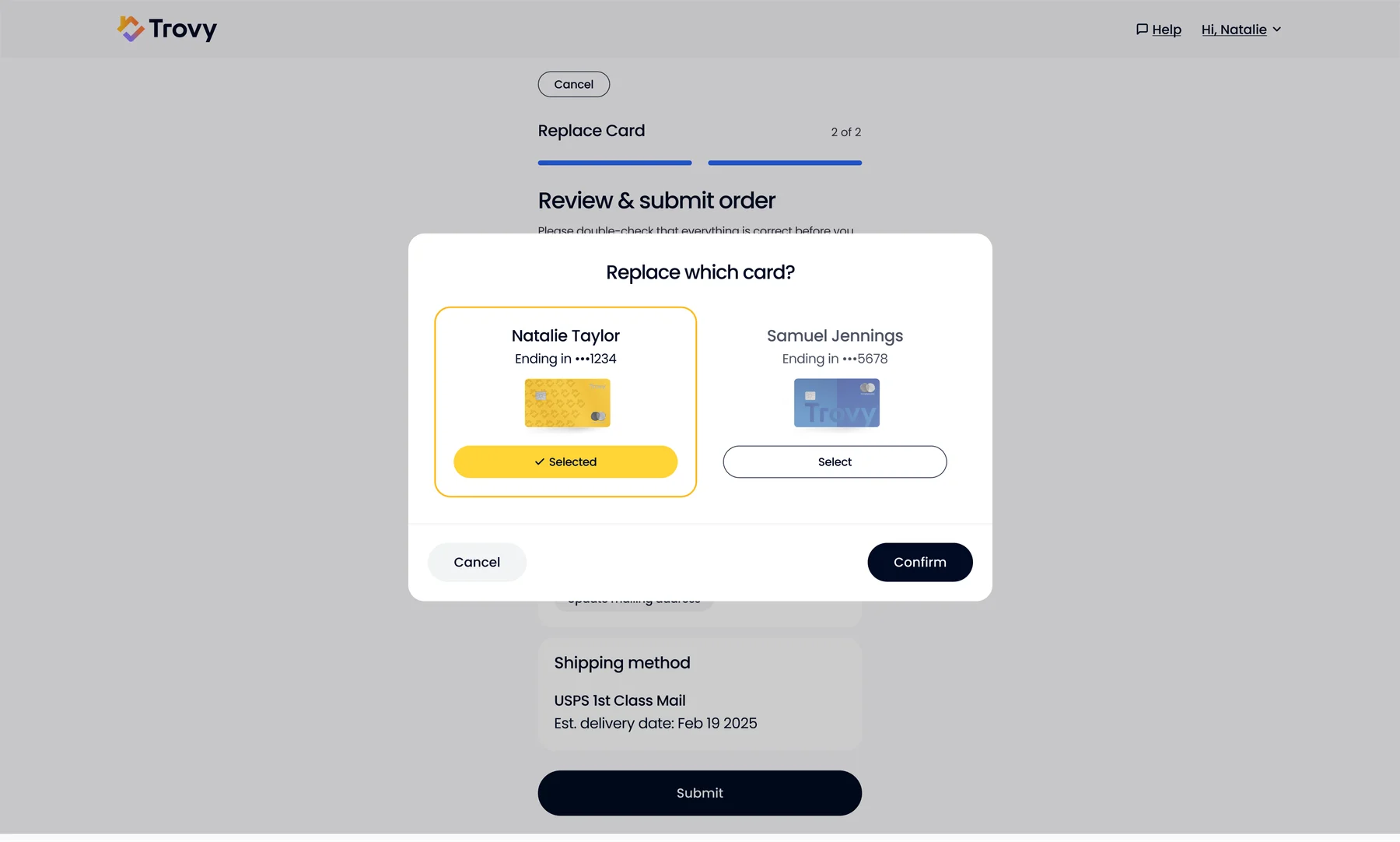
Replace CardChoose which household card to replace, then confirm shipping.
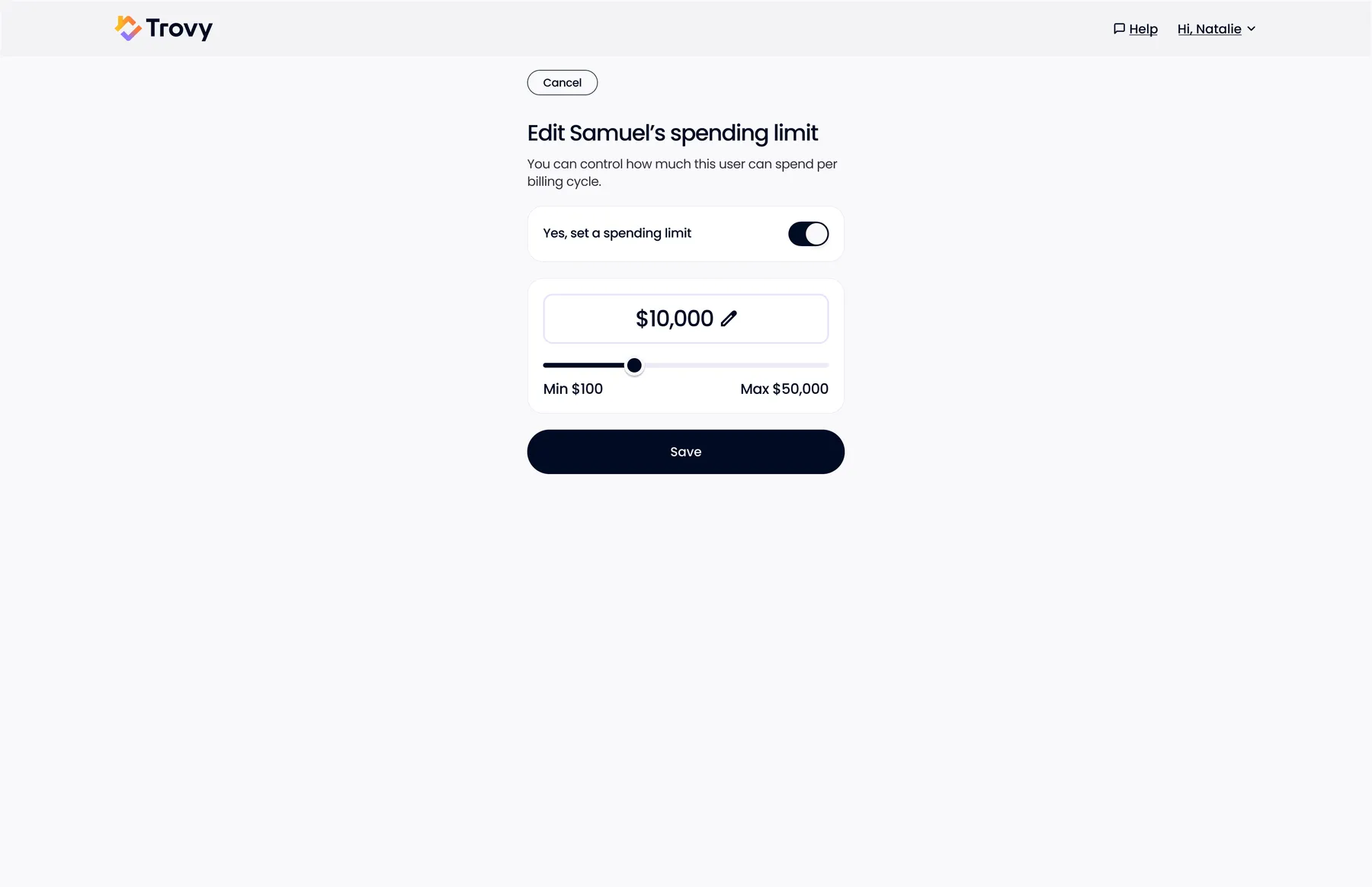
Authorized User Spending LimitSet a per-billing-cycle limit for a household member.
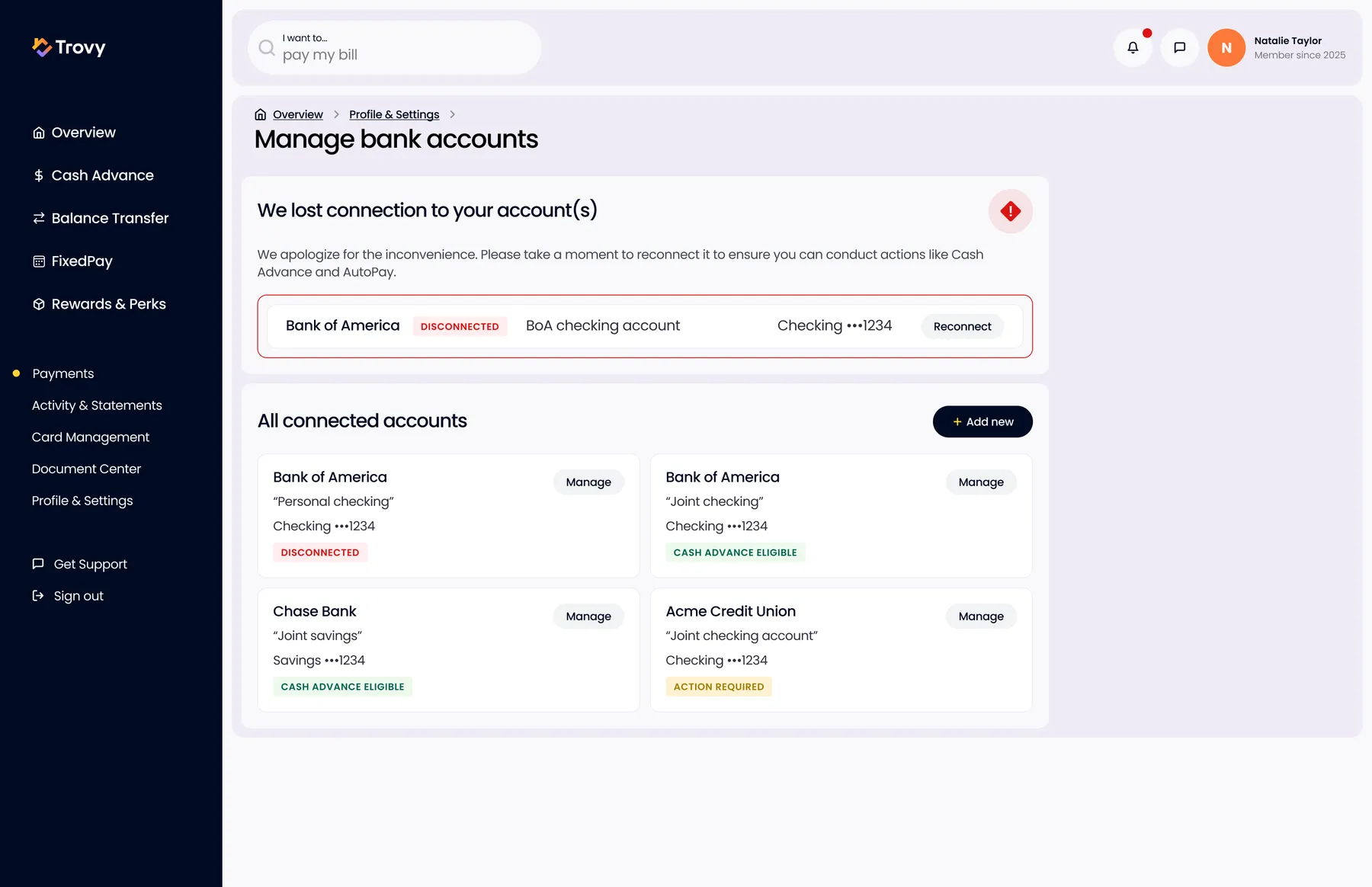
Manage Bank AccountsConnected accounts with clear status (disconnected, eligible, action required) and a reconnect prompt.
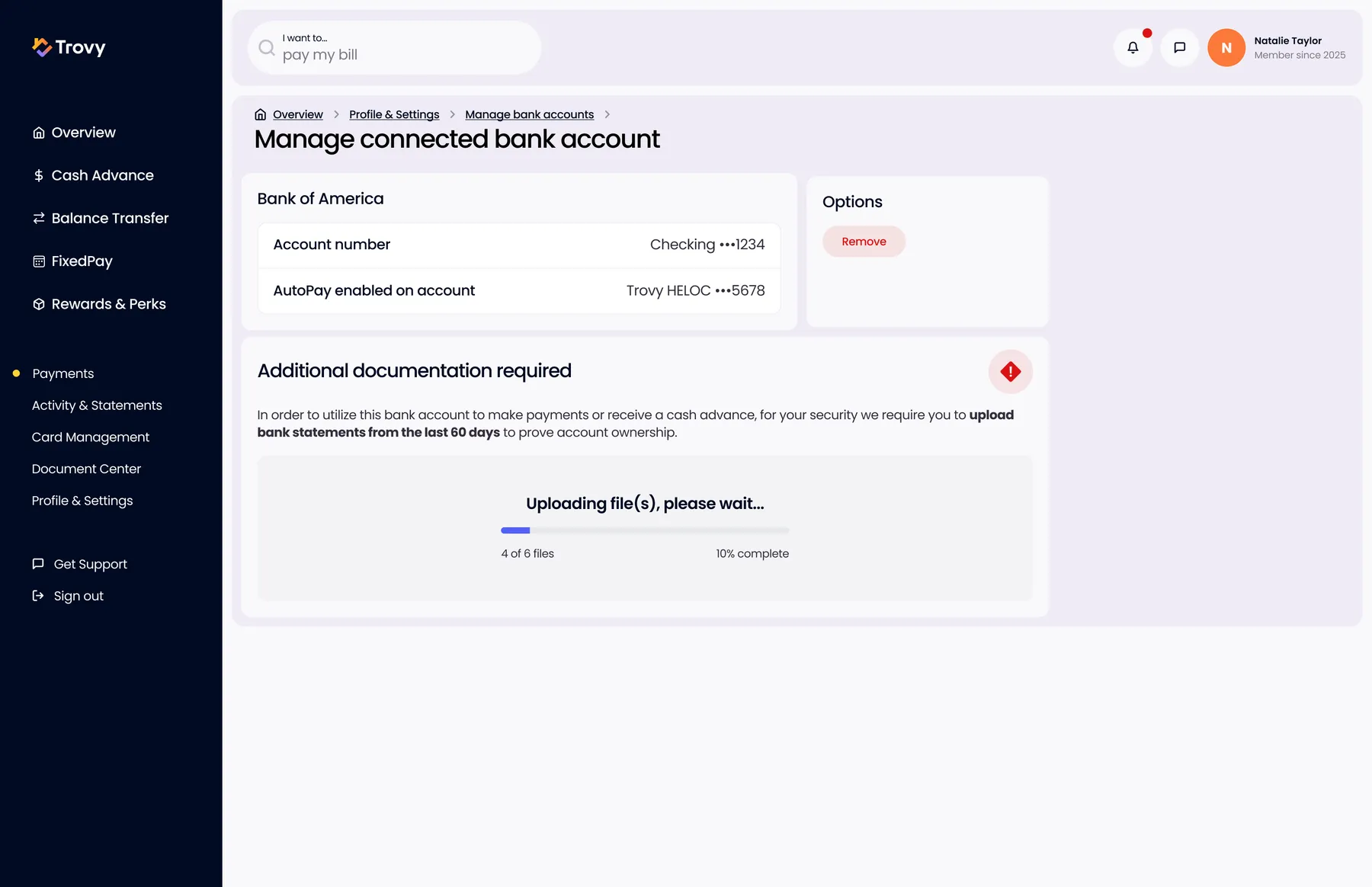
Verify a Bank AccountAdditional documents required to prove ownership, with an upload progress state.
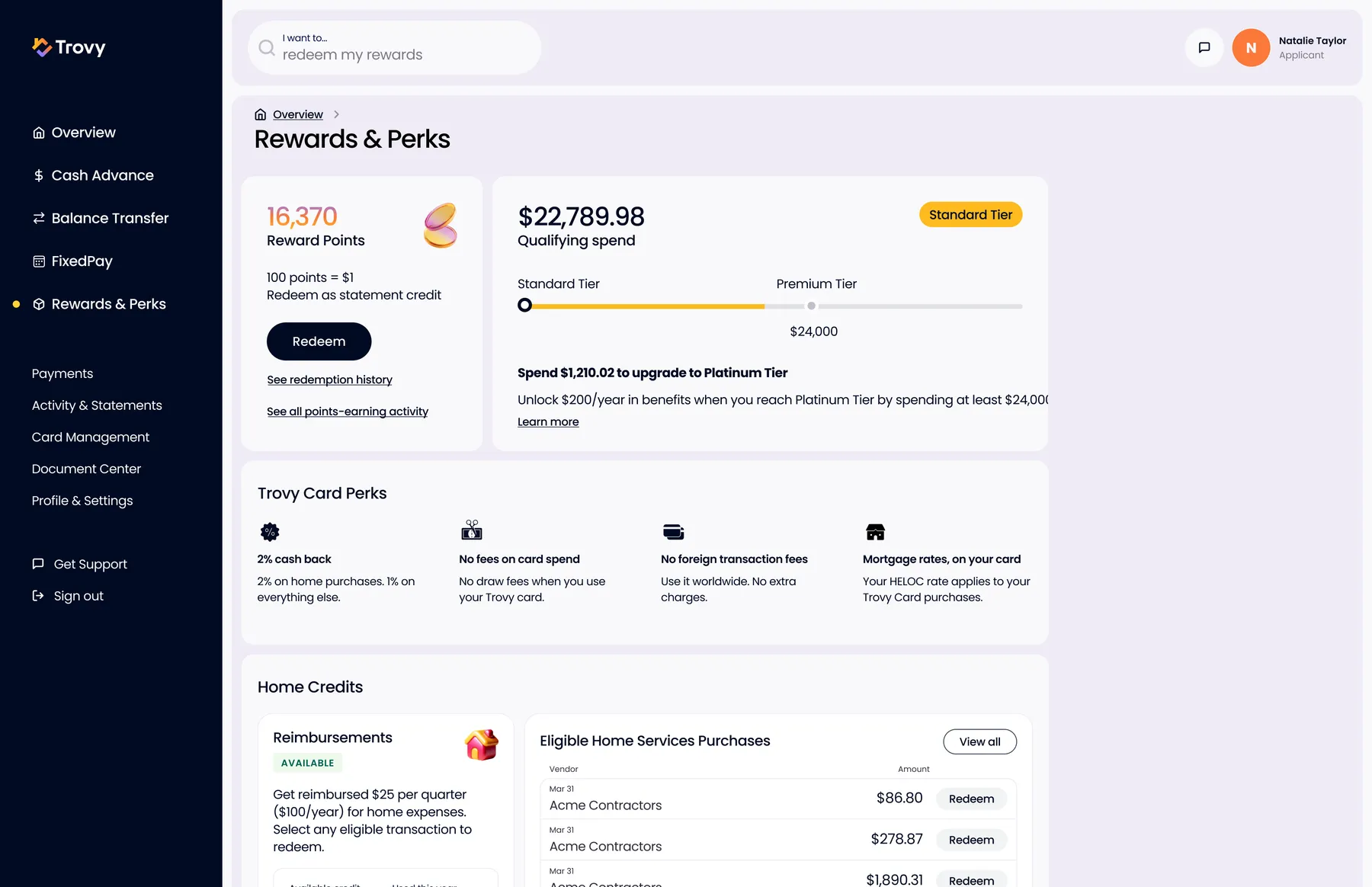
Rewards and PerksPoints, tier progress, card perks, and Home Credits that reimburse home-service spending.
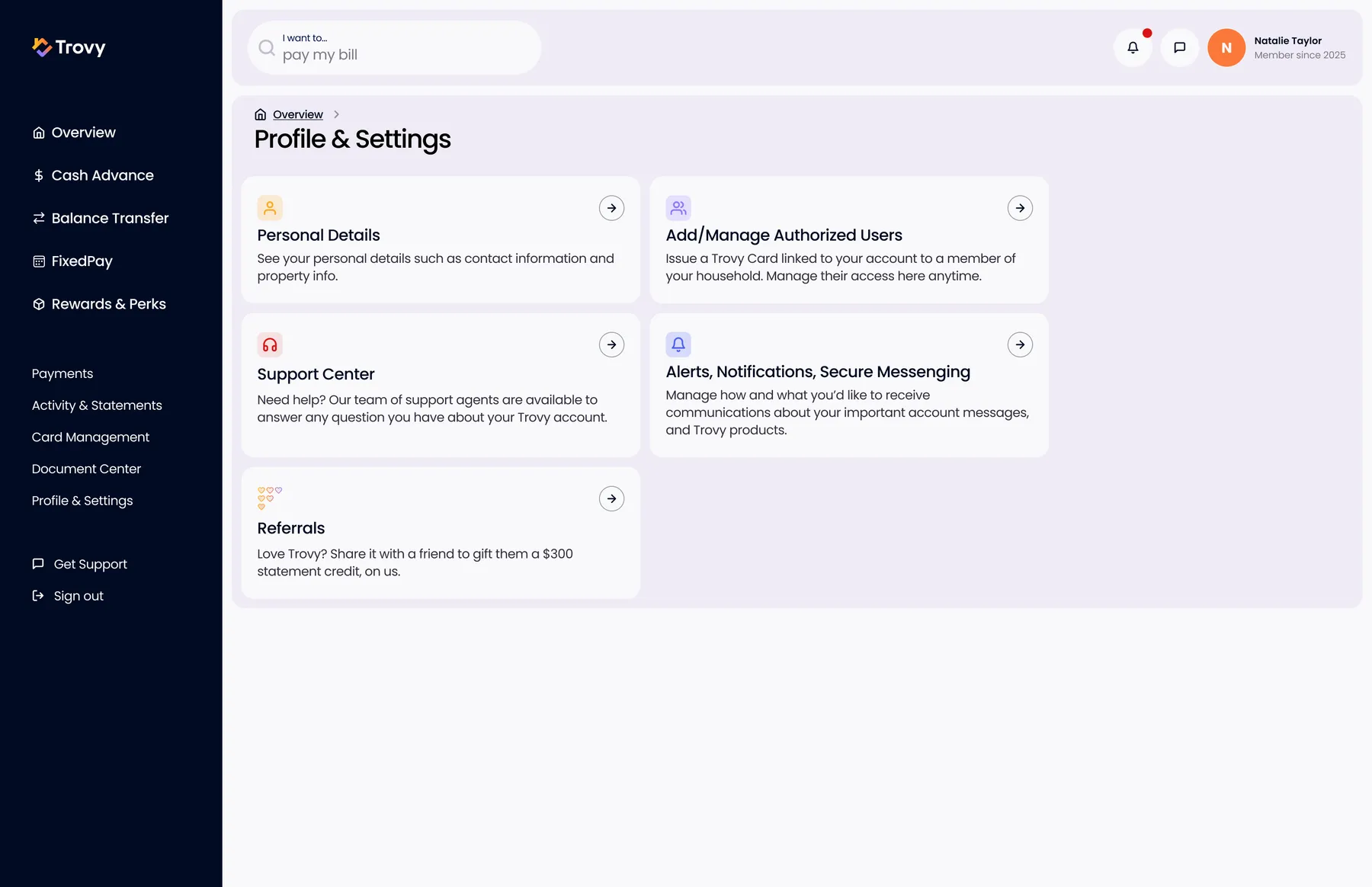
Profile and SettingsSettings hub: personal details, authorized users, support, alerts and referrals.